Changing RSTP port parameters
The table below lists the default RSTP port parameters.
Default RSTP port parameters
|
Parameter |
Default value |
|---|---|
|
Admin Edge Port |
Disable |
|
Admin Pt2pt Mac |
Disable |
|
Force Migration Check |
Disable |
|
Priority |
128 |
|
Path Cost |
0 |
To change the default RSTP port values, perform the following steps.
- Click Configure on the left pane and select RSTP
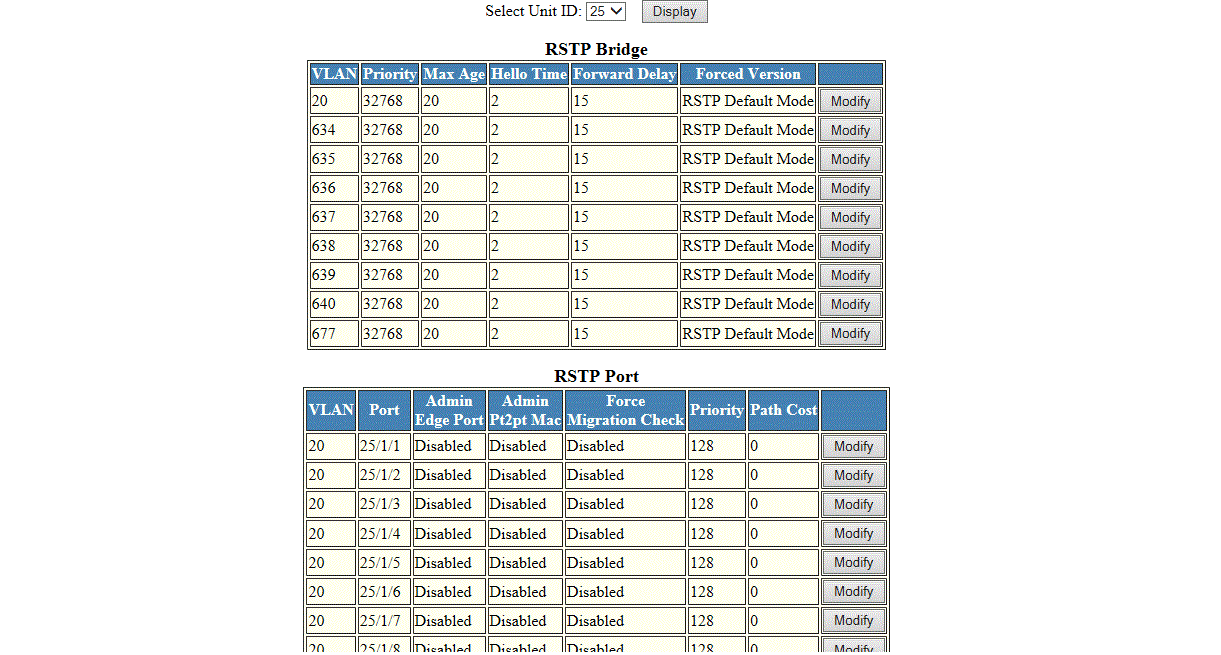
- Select a Unit ID from the Select Unit ID list and click Display to view the ports configured with RSTP.
- Click Modify to change the default values for an individual RSTP ports.
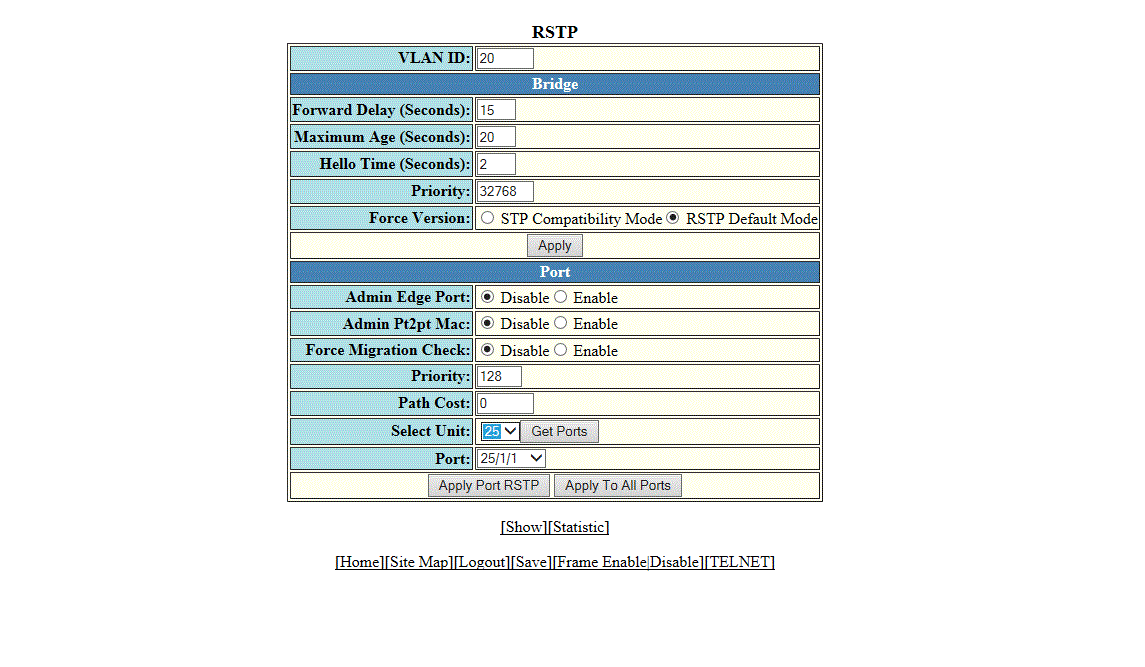
- Click Disable or Enable for Admin Edge Port. If you click Enable , the port becomes an edge port in the domain.
- Click Disable or Enable for Admin Pt2pt Mac. If you click Enable, a port will be connected to another port through a point-to-point link.
- Click Disable or Enable for Force Migration Check. If you click Enable, the specified port will be forced to send one RST BPDU. If only STP BPDUs are received in response to the sent RST BPDU, then the port returns to sending STP BPDUs.
- Type the priority, which is the preference that RSTP gives to this port relative to other ports for forwarding traffic out of the topology, in the Priority field. The range is from 0 through 240.
- Type the cost of the port path to the root bridge in the Path Cost field. The range is from 1 through 20,000,000.
- Select a Unit ID from the
Select Unit list and click
Get Ports to retrieve the list of ports corresponding to the selected Unit ID.
A message is displayed to indicate that the operation does not change the running configuration.
- Select a port from the Port list.
- Click Apply Port RSTP to configure the values only to the specified port, or click Apply To All Ports to configure the values to all the ports.