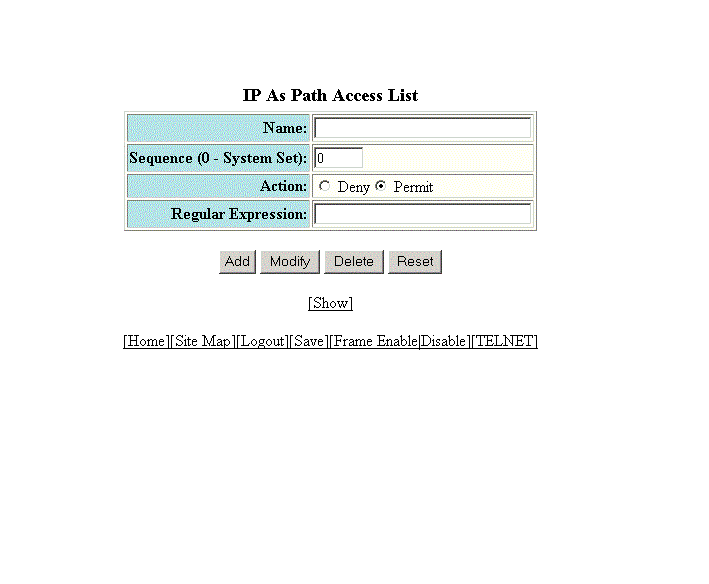
Configuring an IP Autonomous System-path access list
To configure an Autonomous System-path access list, perform the following steps.
- Click Configure on the left pane and select IP .
- Click Autonomou System Path Access List .
- Type the ACL name in the Name field.
- Type the Autonomous System-path list sequence number in the Sequence (0 - System Set) field. You can configure up to 199 entries in an Autonomous System-path list.
- Click Deny or Permit for Action .
- Type the Autonomous System-path information you want to permit or deny to routes that match any of the match statements within the ACL in the Regular Expression field.
- Click
Add .
The message The change has been made is displayed. To display the configured Autonomous System-path list, click Show .
To modify the Autonomous System-path list, click Modify . You can also delete the Autonomous System-path list by clicking Delete . To reset the data entered in the configuration pane, click Reset .