Adding a static station
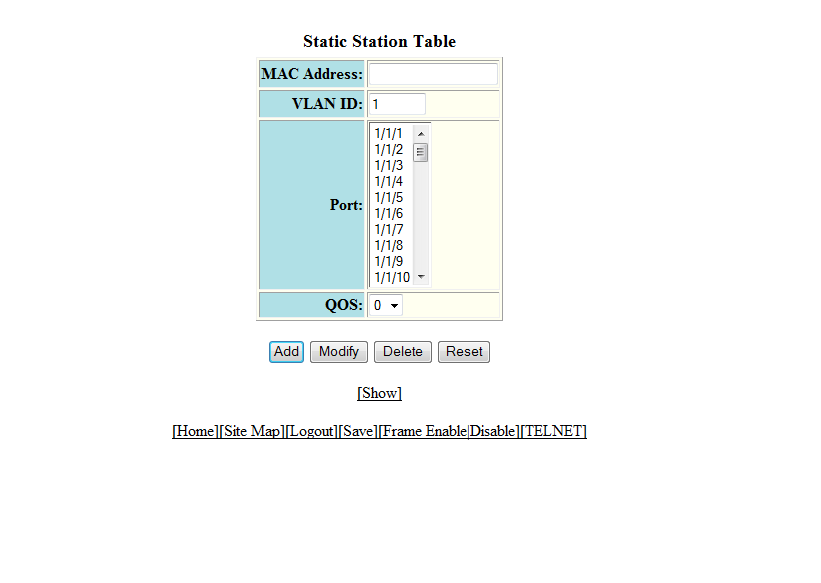
To configure a static MAC entry and assign the traffic priority (QoS) and VLAN membership (VLAN ID) to the entry, perform the following steps.
- Click Configure on the left pane and select Static Station.
- Type the MAC address of the device in xx-xx-xx-xx-xx-xx format in the MAC Address field.
- Type the port-based VLAN identifier in the VLAN ID field. VLAN 1 is the default VLAN.
- Select a port number or multiple port numbers in the Port list.
- Select a QoS priority in the QOS list. A static MAC entry can be assigned a priority from 0 through 7.
- Click Add.