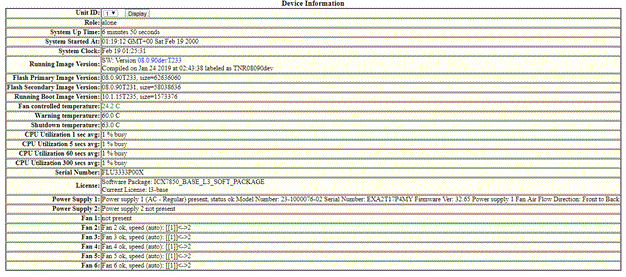
Displaying the device information
To display the device information, perform the following steps.
- Click Monitor on the left pane and select Device.
- Select a stack Identifier from the
Stack Unit ID list and click
Display to view the information for any device in an IronStack.
The Device Information window is displayed as shown in the figure below. The following figure shows the ICX 7850 device page information.
Description of the fields in the Device Information window
Note: License details and serial number are not displayed for PE devices on an SPX stack.