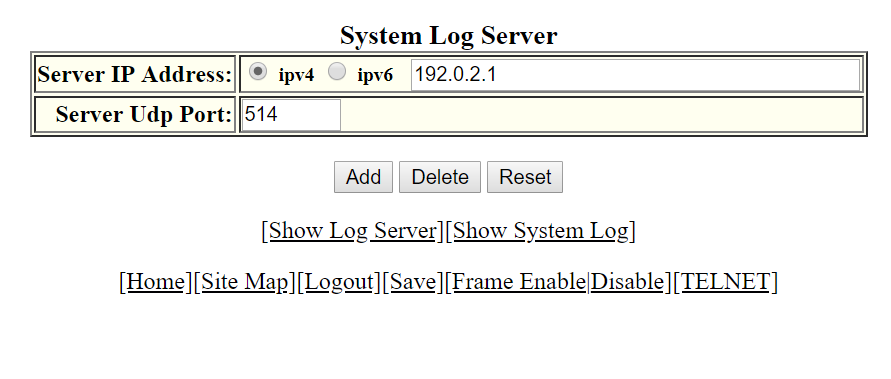
The
System Log Server window is displayed as shown in the figure below.
System log server
Click ipv4 or
ipv6 and then type the IPv4 or IPv6 address in the
Server IP Address field.
Type the application port that can be used for the syslog facility in the
Server Udp Port field. The default value is 514.
Click
Add .
The message
The change has been made is displayed. To display the log server entries, click
Show Log Server . To display the system log window, click
Show System Log .
To delete the changes made, click
Delete. To reset the data entered in the configuration pane
Reset.