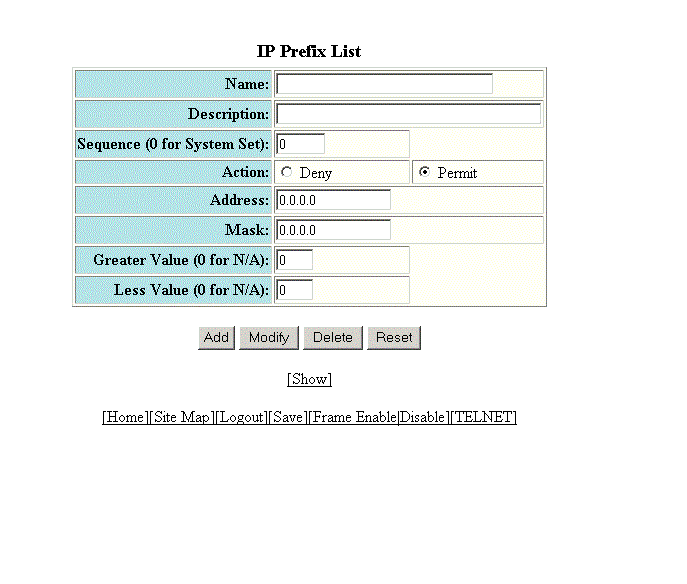
Configuring an IP prefix list
To configure an IP prefix list, perform the following steps.
- Click Configure on the left pane and select IP .
- Click Prefix List .
- Type the prefix list name in the Name field.
- Type a text string describing the prefix list in the Description field.
- Type the IP prefix list sequence number in the Sequence (0 for System Set) field. You can configure up to 100 prefix list entries.
- Click Deny or Permit for Action .
- Type the network IP address in the Address field.
- Type the network mask address in the Mask field.
- Type the maximum value of the mask length in the Greater Value (0 for N/A) field.
- Type the least value of the mask length in the Less Value (0 for N/A) field.
- Click Add .