Displaying stack port interfaces
To display information about stack port interfaces, perform the following steps.
- Click Monitor on the left pane and select Stack .
- Click
Stack-Ports
and then select
Interface .
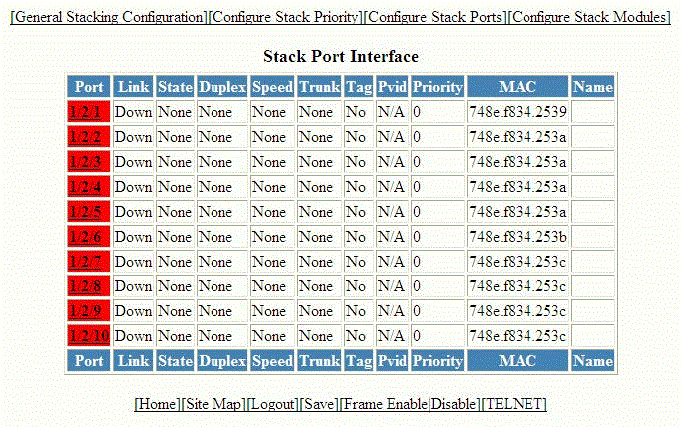
The Stack Port Interface window is displayed as shown in the figure below.
Description of the fields in the Stack Port Interface window
The Stack Port Interface window provides links to configure the stack components:
- To change the stack settings, click General Stacking Configuration . For more information, refer to Configuring the general settings for an IronStack.
- To view the priority of units within a stack, click Configure Stack Priority . For more information, refer to Viewing stack priority details.
- To configure a stack module, click Configure Stack Modules . For more information, refer to Configuring a stack module.