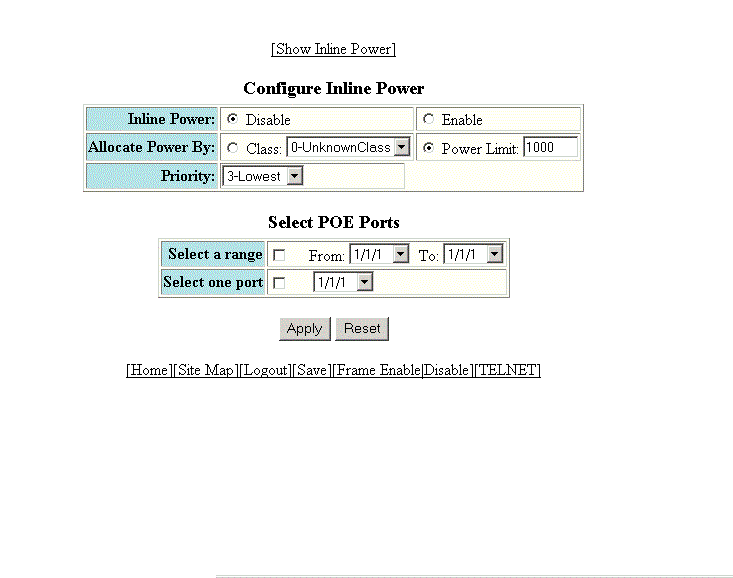
Configuring port inline power
To configure port inline power, perform the following steps.
Note: ICX 7850 platform does not support Power over Ethernet.
- Click Configure on the left pane and select Port .
- Click Inline Power .
- Click Disable or Enable for Inline Power .
- Click Class for Allocate Power By and then select a power class in the Class list, or click Power Limit and then type the maximum power level for a power-consuming device in the Power Limit field.
- Select an inline power priority for a Power over Ethernet (PoE) port in the Priority list.
- To select the PoE ports, select the Select a range check box and select the range of ports in the From and To lists, or select the Select one port check box and select the port in the list.
- Click
Apply .
The message The change has been made is displayed. To reset the data entered in the configuration pane, click Reset .
To display the inline power statistics and details, click Show Inline Power . For more information, refer to Displaying port inline power for Brocade ICX devices.