Configuring the system clock
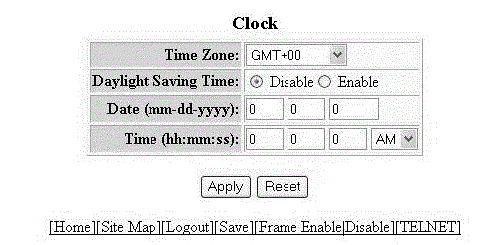
To configure the system clock, perform the following steps.
- Click Configure on the left pane and select System .
- Click Clock .
- Select the GMT time zone that you want to configure for the device in the Time Zone list.
- Click Disable or Enable for Daylight Saving Time . Daylight Saving Time applies to the US time zone only.
- Type the date in mm-dd-yyyy format in the Date (mm-dd-yyyy) field.
- Type the time in hh:mm:ss format in the Time (hh:mm:ss) field and select AM or PM in the list.
- Click Apply .