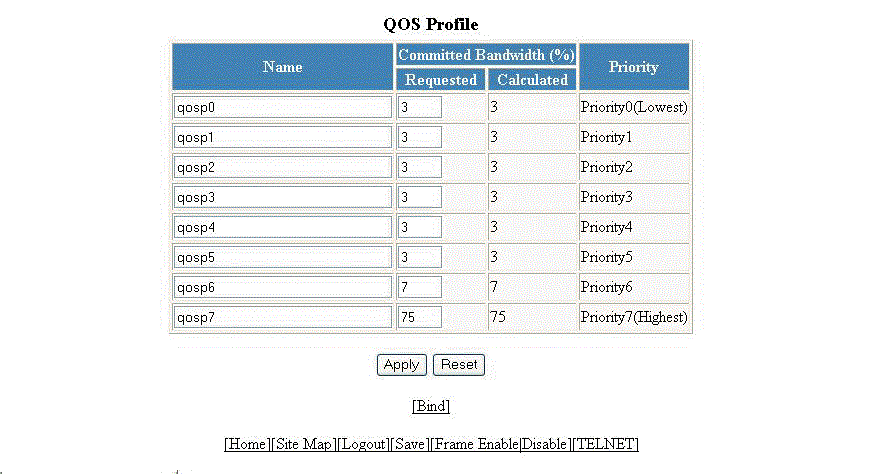
Configuring the QoS profile
To configure the Quality of Service (QoS) profile, perform the following steps.
- Click Configure on the left pane and select QOS .
- Click Profile .
- The default queue names are qosp0 , qosp1 , qosp2 , qosp3 , qosp4 , qosp5 , qosp6 , and qosp7 . You can change one or more of the names, if desired. Type the QoS name in the Name field.
- The Committed Bandwidth (%) is the percentage of the device outbound bandwidth that is allocated to the queue. RUCKUS QoS queues require a minimum bandwidth of 3 percent for each priority. Type the percentage of bandwidth you want for the queue in the Requested field.
- Click
Apply .
The message The change has been made is displayed and the committed bandwidth is changed to the configured value in the Calculated field. The Priority field shows the default priority of the individual QoS from lowest to highest (0 through 7).
To clear the entered data in the fields, click Reset . To configure the QoS profile bind, click Bind . For more information on how to configure a QoS profile bind, refer to Configuring the QoS profile bind.