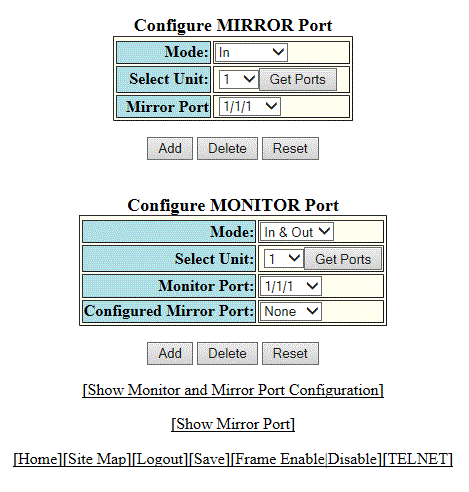
Configuring a monitor port
To configure port monitoring on an individual port on a RUCKUS ICX device, perform the following steps.
- Click Configure on the left pane and select Monitor and Mirror.
- Select one of the following modes in which the port operates in the Mode list:
- Select a Unit ID from the
Select Unit list and click
Get Ports to retrieve the list of ports corresponding to the selected Unit ID.
A message is displayed to indicate that the operation does not change the running configuration.
- Select a port for which you want to monitor the traffic in the Monitor Port list.
- Select a mirror port that you have configured in the Configured Mirror Port list.
- Click
Add.
The message The change has been made is displayed. To display the configured monitor port, click Show Monitor and Mirror Port Configuration. To display the mirror port, click Show Mirror Port.
To delete the configured monitor port, click Delete. To reset the data entered in the configuration pane, click Reset.