Configuring a RIP interface
To configure a RIP interface, perform the following steps.
- Click Configure on the left pane and select RIP .
- Click Interface .
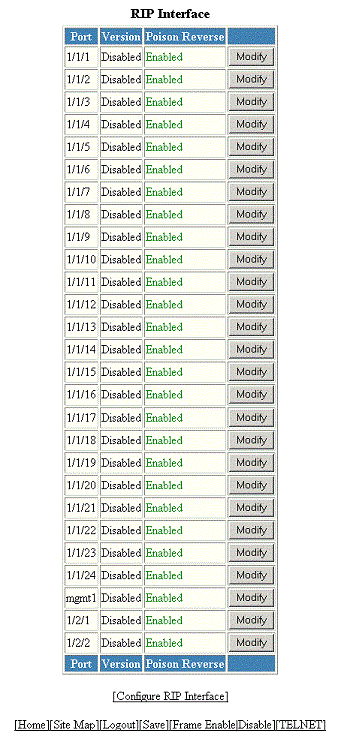
- Click Configure RIP Interface or Modify to change the RIP interface parameters for the respective port.
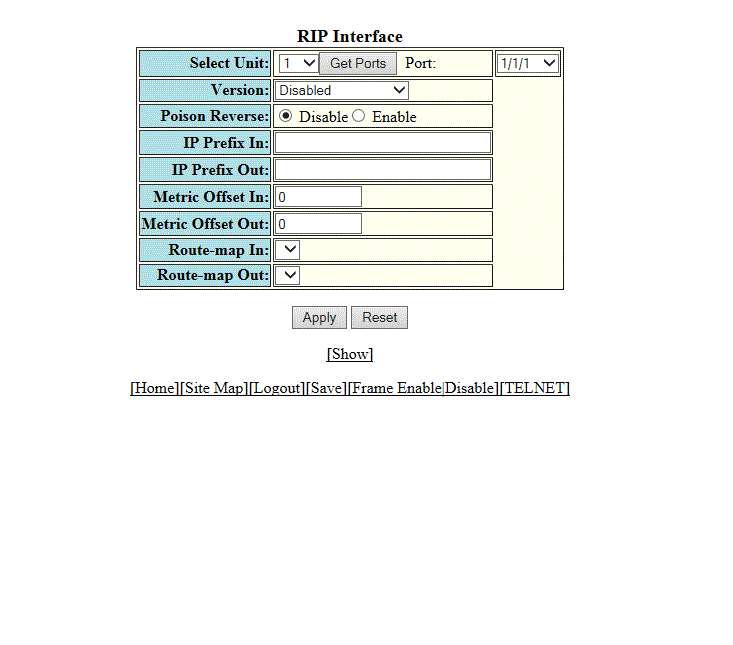
- Select a Unit ID from the
Select Unit list and click
Get Ports to retrieve the list of ports corresponding to the selected Unit ID.
A message is displayed to indicate that the operation does not change the running configuration.
- Select a port from the Port list.
- Select one of the following options for Version :
- Click Disable or Enable for Poison Reverse .
- Enter the prefix list to be applied to the learned RIP routes in the IP Prefix In field.
- Enter the prefix list to be applied to the advertised RIP routes in the IP Prefix Out field.
- Enter the cost metric to be applied to the learned RIP routes in the Metric Offset In field.
- Enter the cost metric to be applied to the advertised RIP routes in the Metric Offset Out field.
- Specify the route map to be applied on the interface to filter the learned RIP routes in the Route-map In field.
- Specify the route map to be applied on the interface to filter the advertised RIP routes in the Route-map Out field.
- Click Apply to configure the RIP interface to the specified port or click Apply All Port to configure the RIP interface on all the ports.