Displaying memory information
To display the memory information of the device, click Monitor on the left pane and select Memory.
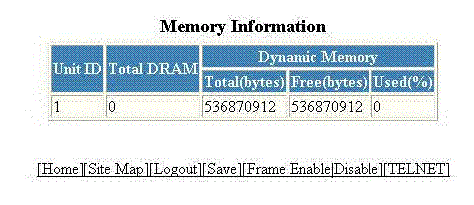
The Memory Information window is displayed as shown in the figure below.
You are viewing a cached version of this page.
You are currently offline. This page was loaded from cache.
To display the memory information of the device, click Monitor on the left pane and select Memory.
The Memory Information window is displayed as shown in the figure below.
Did you find what you were looking for?