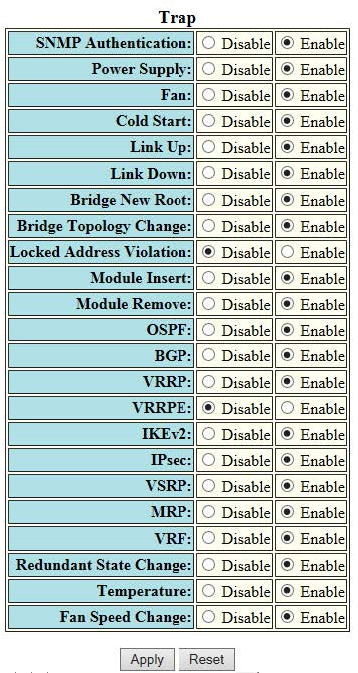
Configuring a trap To configure a trap, perform the following steps. Note: Trap cannot be configured if FIPS mode is enabled. Click Configure on the left pane and select System . Click Management and select Trap . The Trap window is displayed as shown in the figure below. Configuring a trap Click Disable or Enable for each trap. Click Apply . The message The change has been made is displayed. To reset the data entered in the configuration pane, click Reset . Parent topic: Configuring System Components