Configuring IP interfaces
To configure an IP interface, perform the following steps.
- Click Configure on the left pane and select IP .
- Click Interface .
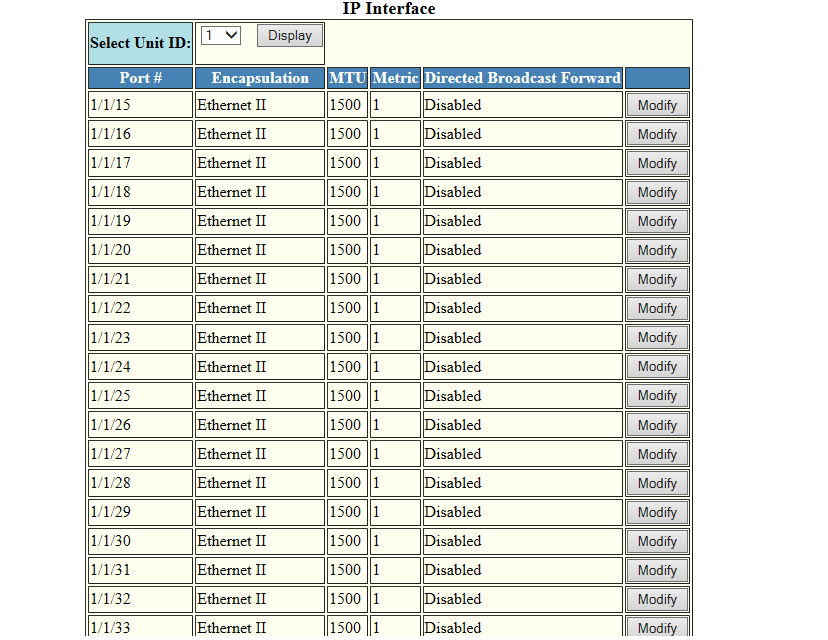
- Select a Unit ID from the Select Unit ID list and click Display to view the IP properties table.
- Click Modify.
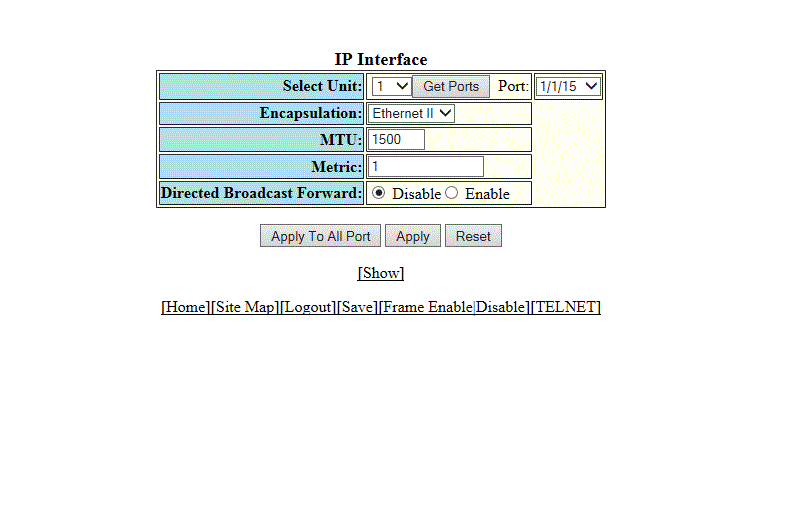
- Select a Unit ID from the
Select Unit list and click
Get Ports to retrieve the list of ports corresponding to the selected Unit ID.
A message is displayed to indicate that the operation does not change the running configuration.
- Select the format of the Layer 2 packets in the Encapsulation list.
- Type the maximum size of the IP packet when encapsulated in a Layer 2 packet, in the MTU field.
- Type the cost in the Metric field.
- Click Disable or Enable for Directed Broadcast Forward .
- Click Apply to configure the IP interface to the specified port or click Apply To All Ports to configure the IP interface on all the ports.