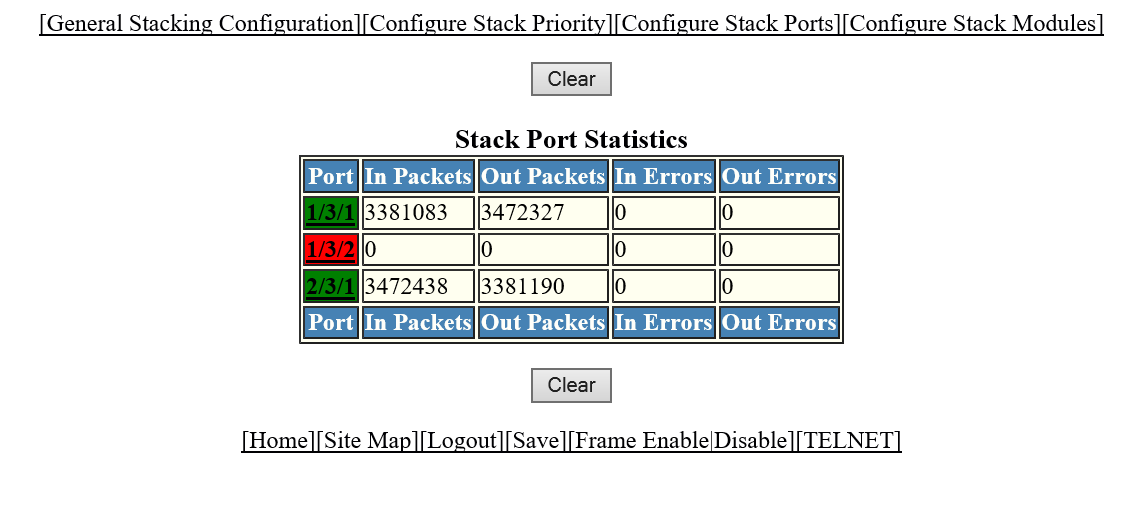
Displaying stack port statistics
To display stack port information for all ports in an IronStack topology, perform the following steps.
- Click Monitor on the left pane and select Stack .
- Click
Stack-Ports
and then select
Statistics .
The Stack Port Statistics window is displayed as shown in the figure below.
Description of the fields in the Stack Port Statistics window
To clear the information and begin a new monitoring cycle, click Clear . The Stack Port Statistics window provides links to configure the stack components:
- To change the stack settings, click General Stacking Configuration . For more information, refer to Configuring the general settings for an IronStack.
- To view the priority of units within a stack, click Configure Stack Priority . For more information, refer to Viewing stack priority details.
- To configure a stack module, click Configure Stack Modules . For more information, refer to Configuring a stack module.