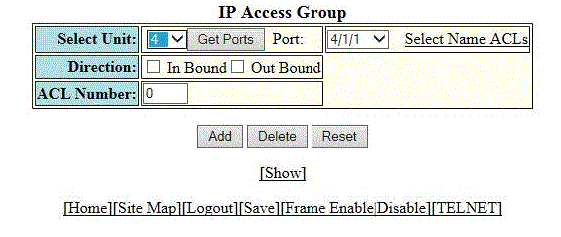
Configuring an IP access group
To configure an IP access group to bind specific ACLs to specific ports, perform the following steps.
- Click Configure on the left pane and select System.
- Click IP Access Group.
- Select a Unit ID from the
Select Unit list and click
Get Ports to retrieve the list of ports corresponding to the selected Unit ID.
A message is displayed to indicate that the operation does not change the running configuration.
- Select a port in the Port list.
- Select the In Bound check box for Direction to enable incoming traffic on the interface to which you apply the ACL.
- Type the ACL number in the ACL Number list. If you want to type an ACL name, click Select Name ACLs. The field label changes to ACL Name. Now, you can type the ACL name up to 256 alphanumeric characters.
- Click Add.