Workflow of Personal Identity Network Service Creation
Creating a Personal Identity Network has a recommended sequence.
Preconditions before creating a Personal Identity Network:
- RUCKUS Edge cluster should be deployed to the venue where clients will be segmented.
- Property Management service for the
venue should be already enabled. Enabling property management for a venue requires
creating an identity group, creating DPSK services associated with the identity group,
and associating the identity group with the venue.
Note: The identity group cannot be changed once property management has been enabled.
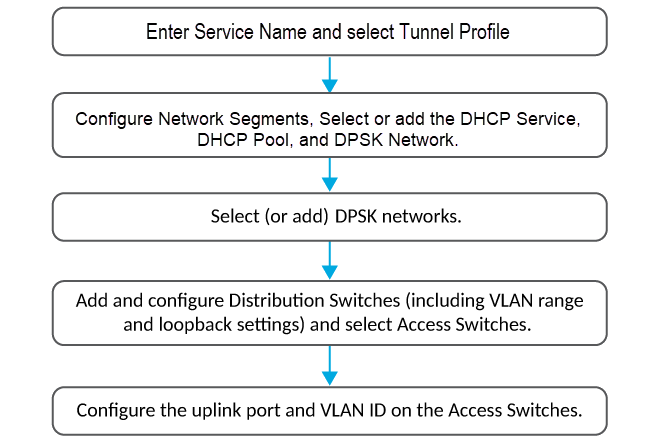
To ensure optimal network configuration, follow these steps for both wireless and wired access points: