Editing an Active-Active Cluster
You can add or remove Edge devices from the cluster, rename the cluster or individual
Edge devices, update the Fallback schedule and Load Distribution method, modify
the cluster
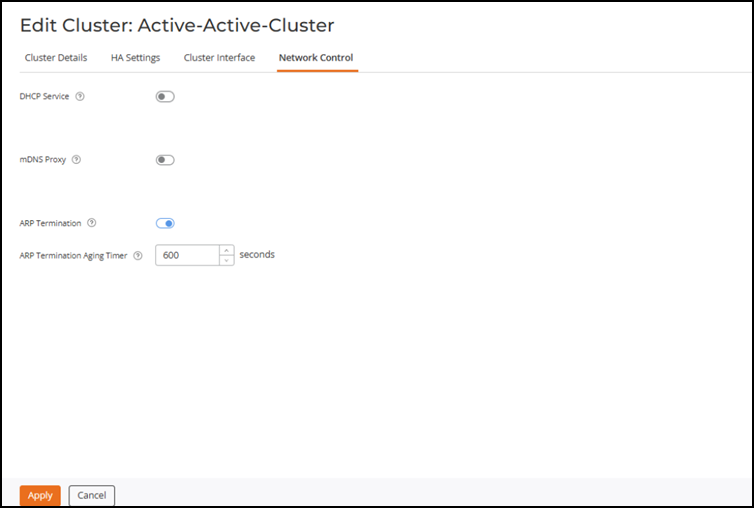
interface port or IP assignment configuration, and enable or disable network control
services such as mDNS and ARP Proxy.
Note: The DHCP service must always
be disabled when the Edge cluster is used with the SD‑LAN service.
- On the RUCKUS One navigation
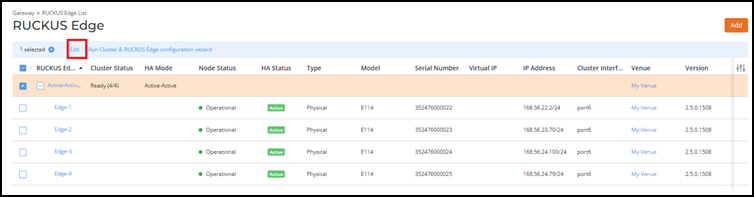
bar, select .This displays the RUCKUS Edge page.
- Select the cluster and click Edit.
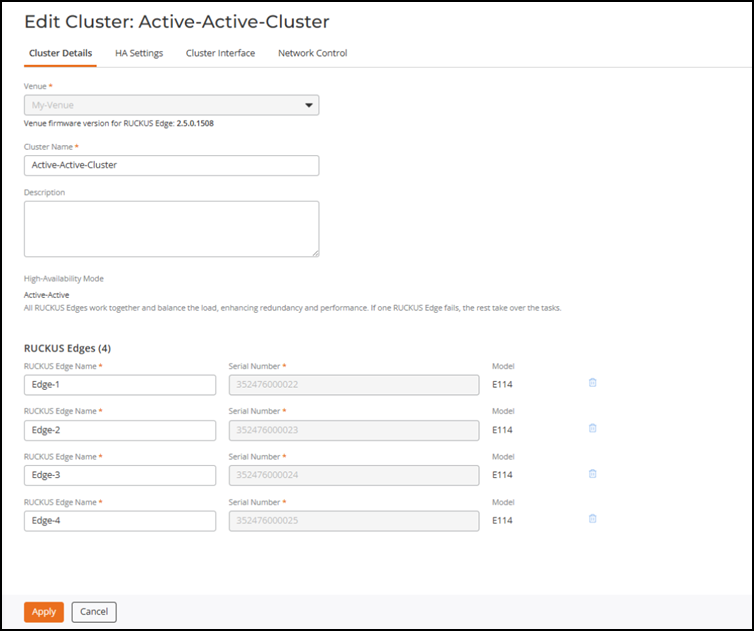
- Select the respective tab pages to edit the cluster.
- Cluster Details: Add or remove Edge devices from the existing cluster, and rename the cluster or individual Edge devices.
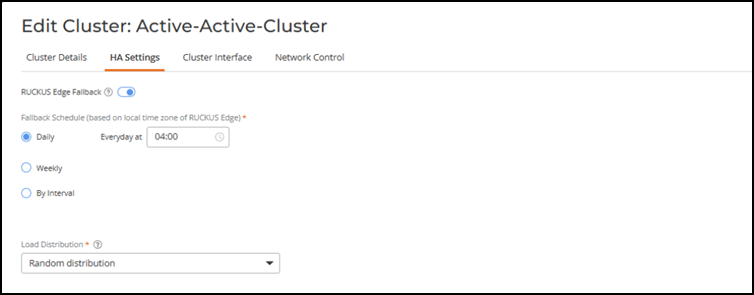
- HA Settings: Modify the Fallback schedule and the Load Distribution method.
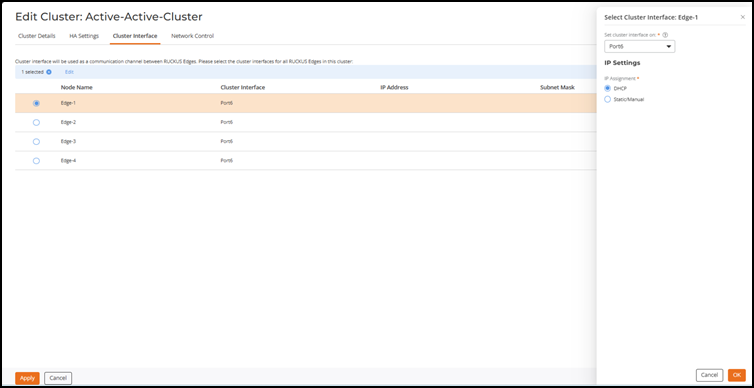
- Cluster Interface: Modify the cluster interface port or IP assignment configuration.
- Network Control: Enable or disable network control services such as mDNS and ARP Proxy.
- Click Apply to save the changes.