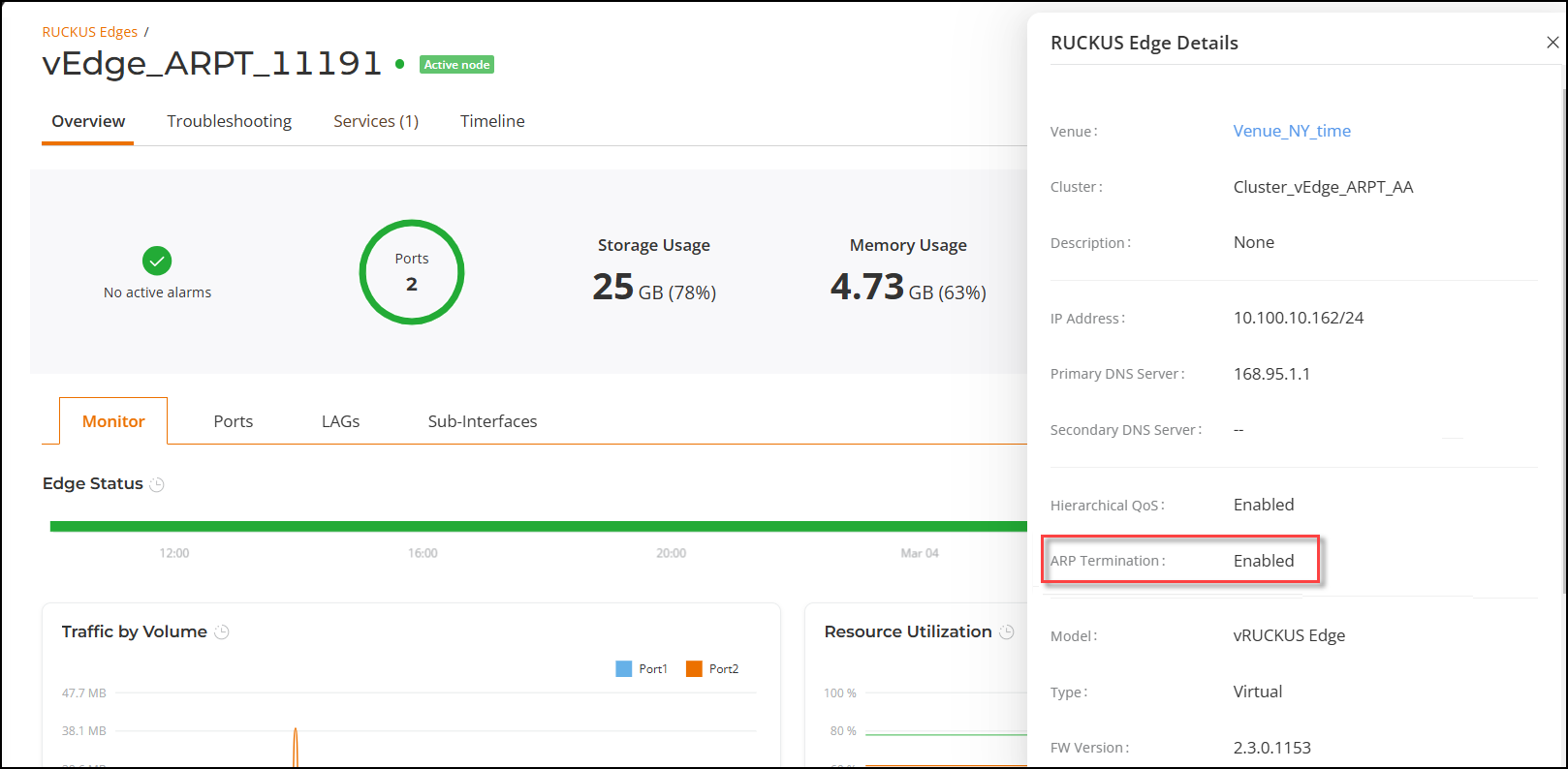
Viewing ARP Termination Status
RUCKUS One allows you to quickly verify
the status of the ARP Termination feature for a specific RUCKUS Edge cluster.
- On the RUCKUS One navigation bar, select .
- Click the
 icon on the cluster
information row for the cluster you want to check the configuration status. This expands the list of all the nodes in the cluster, each node name is an active hyperlink to the node's configuration details.
- Click the node name of the node you want to check.
- From the right side of the workspace, click More Details.