Enabling High Availability with vSwitch, VMXNET3, and VRRP
VRRP Configuration on RUCKUS Edge VM: On a RUCKUS Edge VM, a VRRP instance can be configured on a port, which are of two types:
VRRP Special MAC Installation:
- Hardware PCI Passthrough Port: VRRP can directly install the special MAC address (00-00-5E-00-01-XX) on a real hardware PCI passthrough port.
- vNIC Port: VRRP cannot directly install the special MAC address on a virtual network interface card (vNIC) port, such as VMXNET3.
Workaround for vNIC/VMXNET3 Port:
- Promiscuous Mode: To enable VRRP functionality on vNIC/VMXNET3 ports, RUCKUS Edge implements a workaround that activates promiscuous mode. Promiscuous mode allows the network interface to receive all packets, including VRRP hello packets with the special MAC address.
- ESXi Settings: Users need to configure specific settings on the ESXi host to support this workaround. These settings ensure that the vNIC/VMXNET3 port can operate in promiscuous mode and handle VRRP traffic effectively.
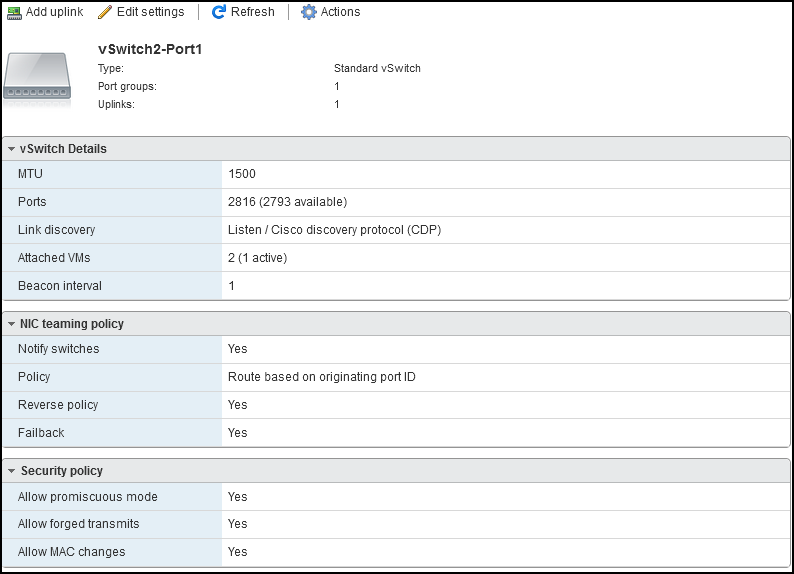
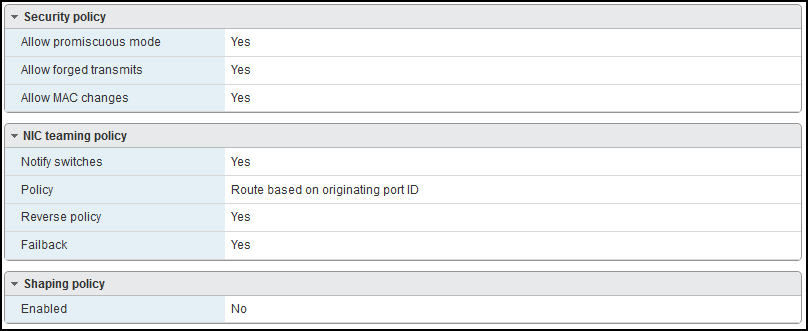
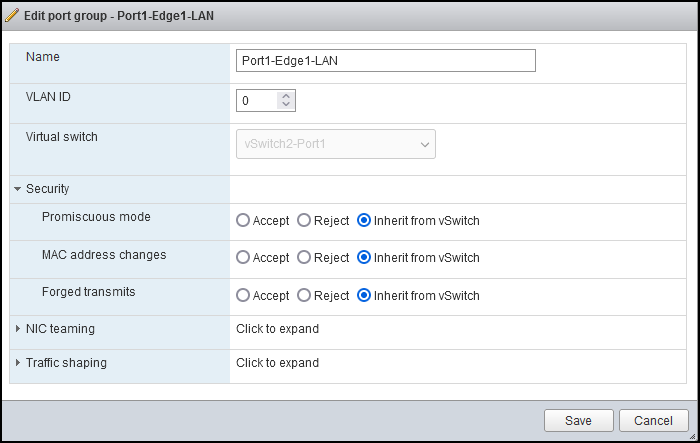
Required ESXi Host Settings: To ensure VRRP functions correctly on vNIC/VMXNET3 ports in a virtual environment, users need to enable specific security settings on the ESXi host. These settings are crucial for allowing VRRP hello packets with the special MAC address to be received. The required settings are:
- Promiscuous mode: Allows a network device to intercept and read each network packet that arrives in its entirety.
- MAC address changes: Allows ESXi to accept or reject requests to change the effective MAC address of a virtual machine to a different address than the initial MAC address.
- Forged Transmits: When accepted, the ESXi server does not check the virtual machine traffic for fake MAC addresses.
These settings must be enabled at two levels within the ESXi host:
- vSwitch Level: The virtual switch (vSwitch) level settings apply to the entire switch, affecting all connected virtual machines (VMs).
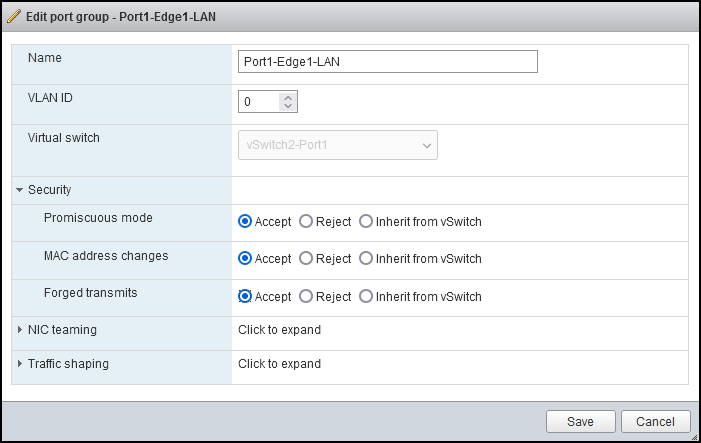
- Port Group Level: The port group level settings apply to specific groups of ports within the vSwitch, allowing more granular control over network policies.
Configuring vSwitch and Port Group Settings for HA
Configuring vSwitch and port group settings is essential for ensuring High Availability (HA) in your virtualized environment. This will enhance the reliability and performance of your network by enabling the necessary security modes.
To configure vSwitch and port group settings required for HA:
- Log in to the ESXi server.
- In the ESXi Navigator menu, select Networking and click the Virtual switches tab.
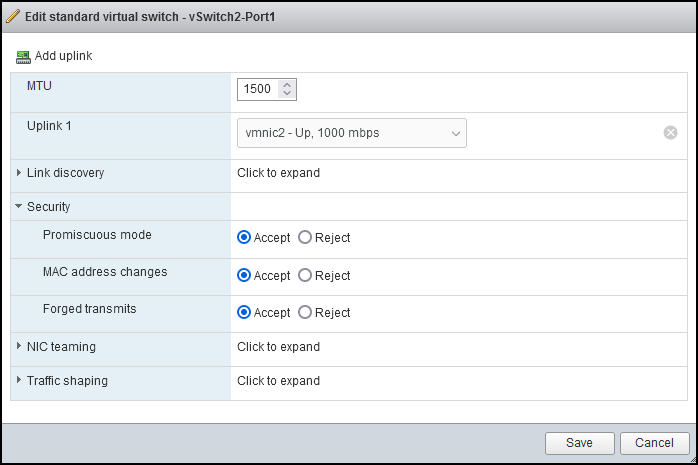
- Right-click on the vSwitch that you want to edit and select the Edit settings option. This displays Edit settings window.
- In the Security section, select the Accept option for all the three modes.
- (Optional) To obtain mode configuration for the port group from the corresponding vSwitch, select Inherit from vSwitch.
- Click Save to apply the settings.