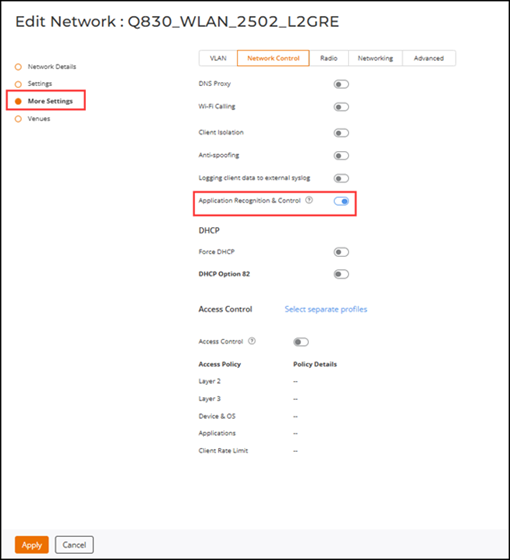
The Application Recognition & Control feature must be
enabled to allow application activities and usage metrics to be reported on the
RUCKUS
One. If the feature is disabled, ensure that it is re‑enabled on the network. To
enable
the feature:
On the RUCKUS One navigation
bar, select Wi-Fi > Wi-Fi Networks > Wi-Fi Networks List.
Click the checkbox for the specific Wi-Fi network that you want to configure,
then click Edit.
The Edit Network page is displayed.
Click More Settings, select the Network
Control tab, then click the Application Recognition
& Control toggle.
The toggle switch turns blue when enabled. The toggle switch turns black when
disabled. Disabling this feature stops the monitoring and reporting of
application activities.