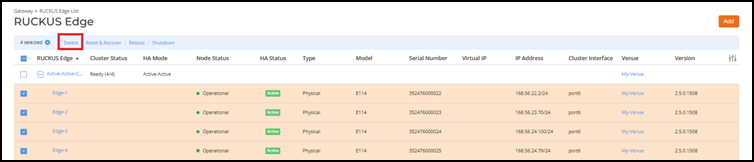
Deleting a Cluster To delete a cluster:On the RUCKUS One navigation bar, select Gateway > RUCKUS Edge.This displays the RUCKUS Edge List page. Select all the Edge devices in the cluster and click Delete. Deleting a Cluster Parent topic: SD-LAN Workflow