Creating an Identity Group
An identity group stores user-related
data.
- On the RUCKUS One navigation
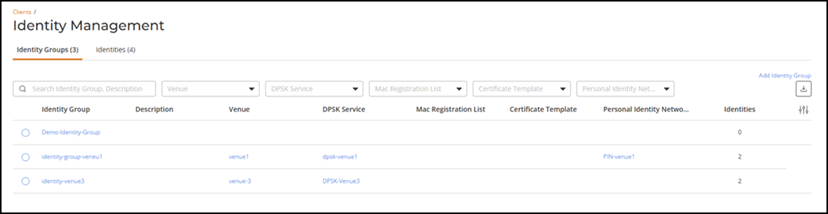
bar, select . This displays the Identity Management page.
- In the Identity
Management page, click Add Identity
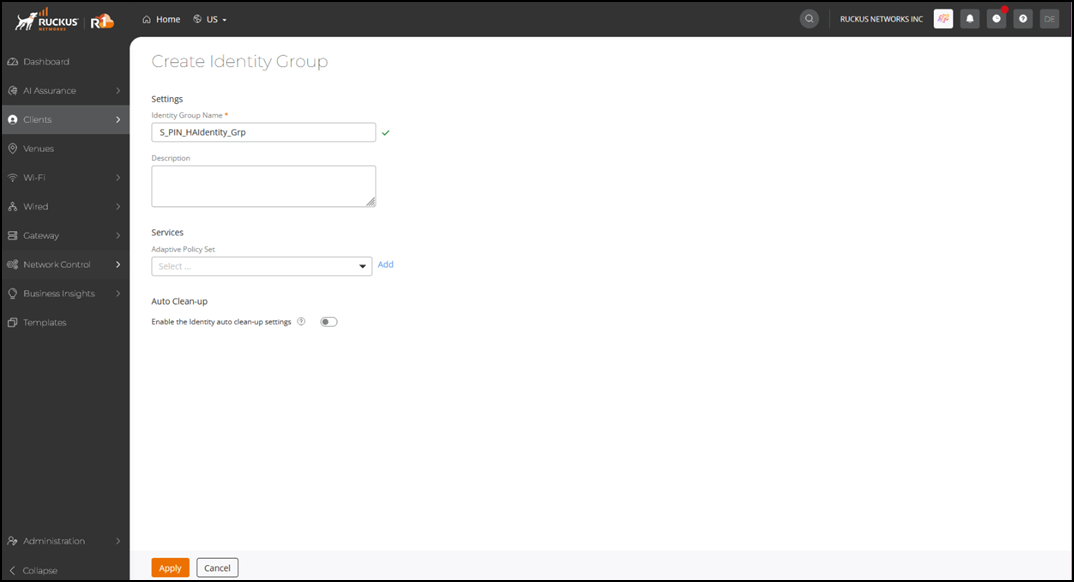
Group. This displays the Create Identity Group page.
- In the Create Identity
Group page, enter the following details.
- Identity Group Name - Select an identity group name from the drop-down.
- Description - Enter a meaningful description for the identity group.
Under Services, complete the following:
- Adaptive Policy Set - Select the service from the drop-down.
- Auto Clean-up - Toggle the Enable the Identity auto clean-up settings switch on to remove identities whose last associated device has been inactive for more than 30 days.
- Click Apply.