Multiple Venue Support for an SD-LAN Service
Feature Overview
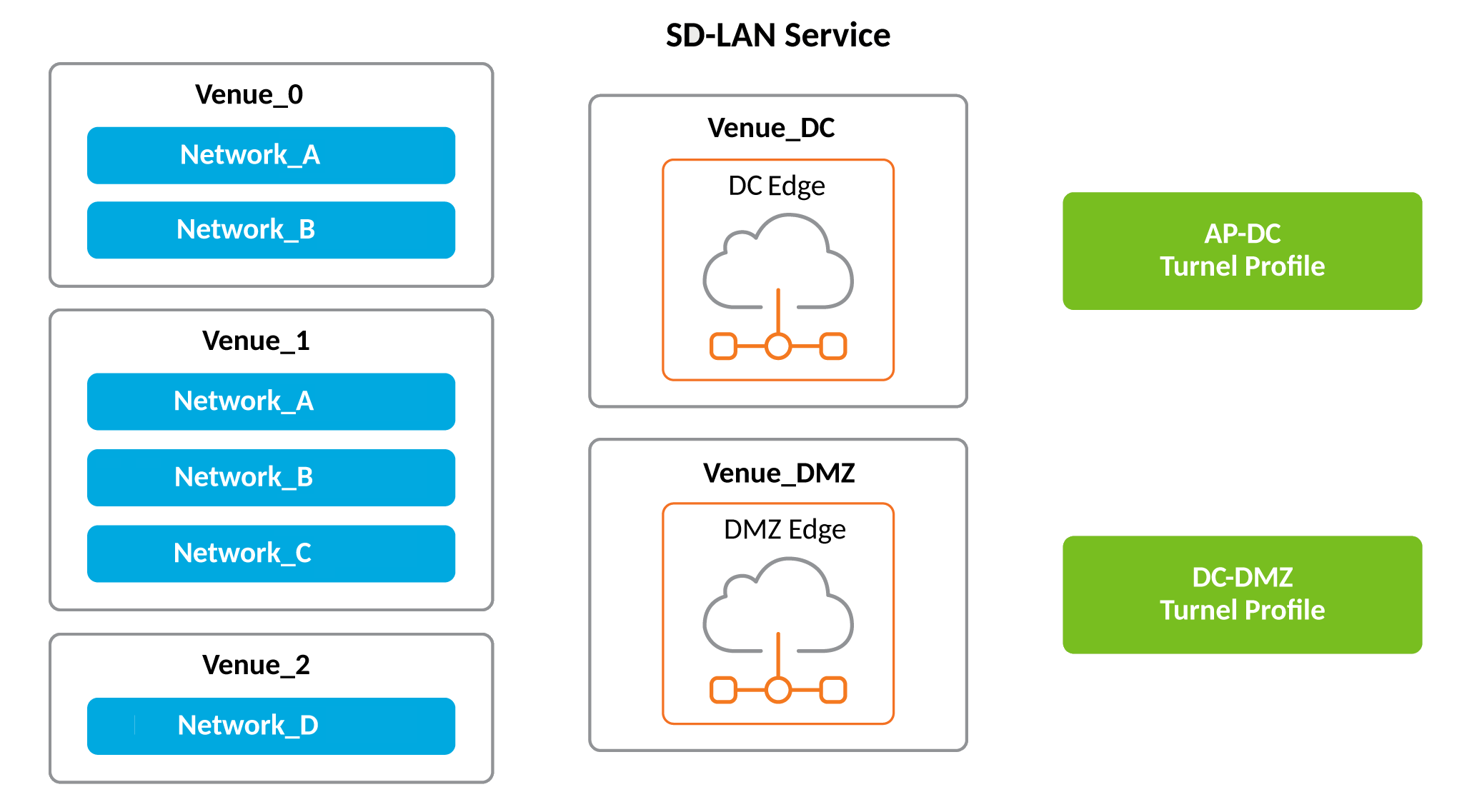
The Multiple Venue Support for an SD-LAN service feature enables network administrators to oversee, configure, and monitor various venues from a single centralized location, enhancing network efficiency and minimizing administrative workload. Networks from various venues can be integrated into a single SD-LAN service and a single Tunnel Profile.
The Data Center (DC) RUCKUS Edge and the DMZ RUCKUS Edge within the SD-LAN service do not need to be situated in the same venue. A venue hosting the DC RUCKUS Edge or DMZ RUCKUS Edge can support multiple SD-LAN services, each with different DC or DMZ RUCKUS Edge cluster.
Requirements
The Multiple Venue support for an SD-LAN service feature supports APs with Wi-Fi 6, Wi-Fi 6E, and Wi-Fi 7 capabilities. This feature applies to both hardware and virtual Edge devices.
Considerations
When creating or editing an SD-LAN service profile used for a Captive Portal network activated in multiple venues, the Forward Guest Traffic to DMZ option must be set the same (either enabled or disabled) across all venues using that same Captive Portal network and SD-LAN profile.If the guest network at a specific venue routes traffic to the DMZ RUCKUS Edge, other venues using tunnels in the same network must route the traffic similarly.
Best Practices
This feature has no special recommendations for feature enablement or usage.
Prerequisites
Each SD-LAN venue must have at least one network tunnel.
The Tunnel Profile must be linked to the SD-LAN service to ensure that all venues, including DC and DMZ, can utilize the same Tunnel Profile. However, DC and DMZ can use different Tunnel Profiles if needed, and the DMZ is optional for an SD-LAN setup.