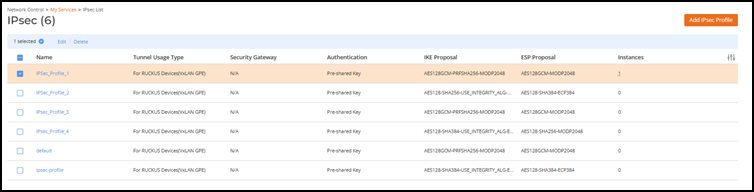
Deleting an IPSec Profile To delete an IPSec:On the RUCKUS One navigation bar, select Network Control > My Services.The displays the My Services or Service Catalog menu respectively. Select IPsec.The IPsec page is displayed. From the list, select the IPsec profile and click Delete. Note: An IPsec profile associated to a tunnel profile cannot be deleted. Deleting an IPSec Profile Click Delete IPsec Profile in the confirmation dialog box. Parent topic: IPsec/IKE Encryption Support for VxLAN-GPE Tunnel