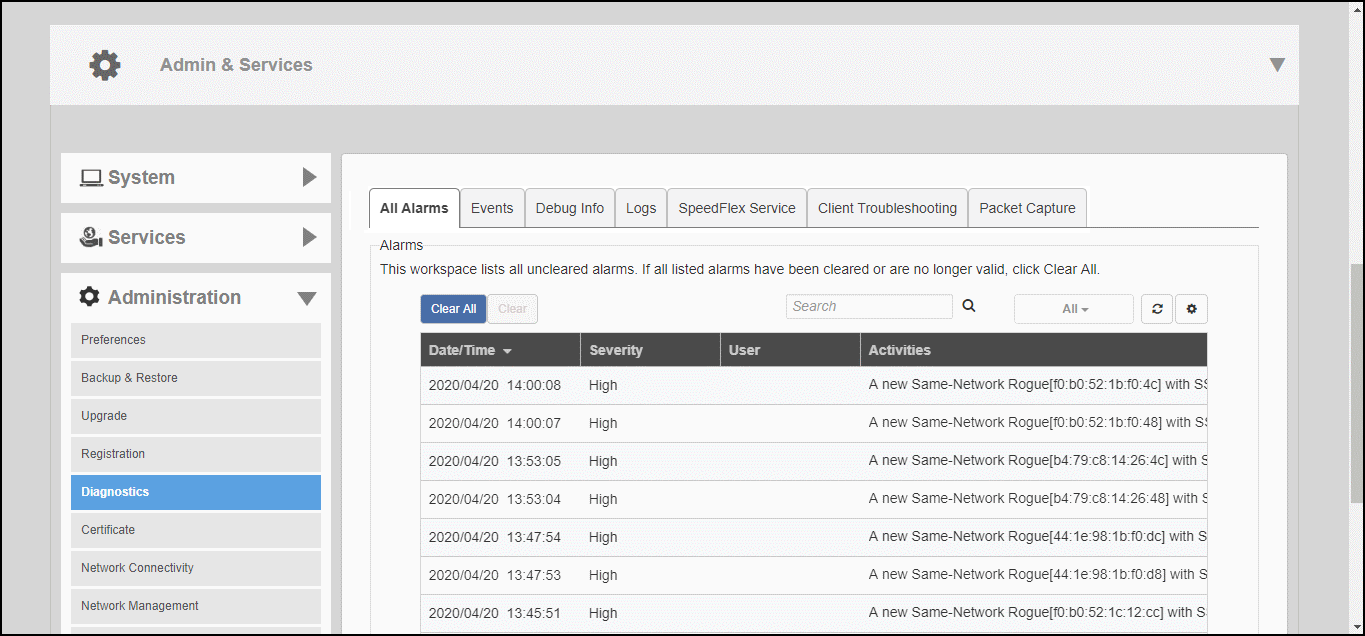
The Diagnostics pages provide options for
troubleshooting and diagnostics, including configuration settings for alarms, viewing
system
event log messages, configuring which debug information is to be collected in log
files, and
saving the current logs to your local computer.
The All Alarms page displays a list of
all recent alarms. Alarms include important events such as when an AP loses contact
with the
Master AP, a rogue AP is detected, an authentication server becomes unreachable,
or when a
Master/Member role change is detected.
The client connectivity trace feature is designed to help customers diagnose wireless
client connection issues to determine why a client fails to connect to the wireless
network.
Remote packet capture puts one or more APs
into packet sniffer mode, allowing them to capture the wireless packets. The packets
are either
saved to local files or streamed to packet inspection program such as Wireshark for
later
analysis.