Backup and Restore
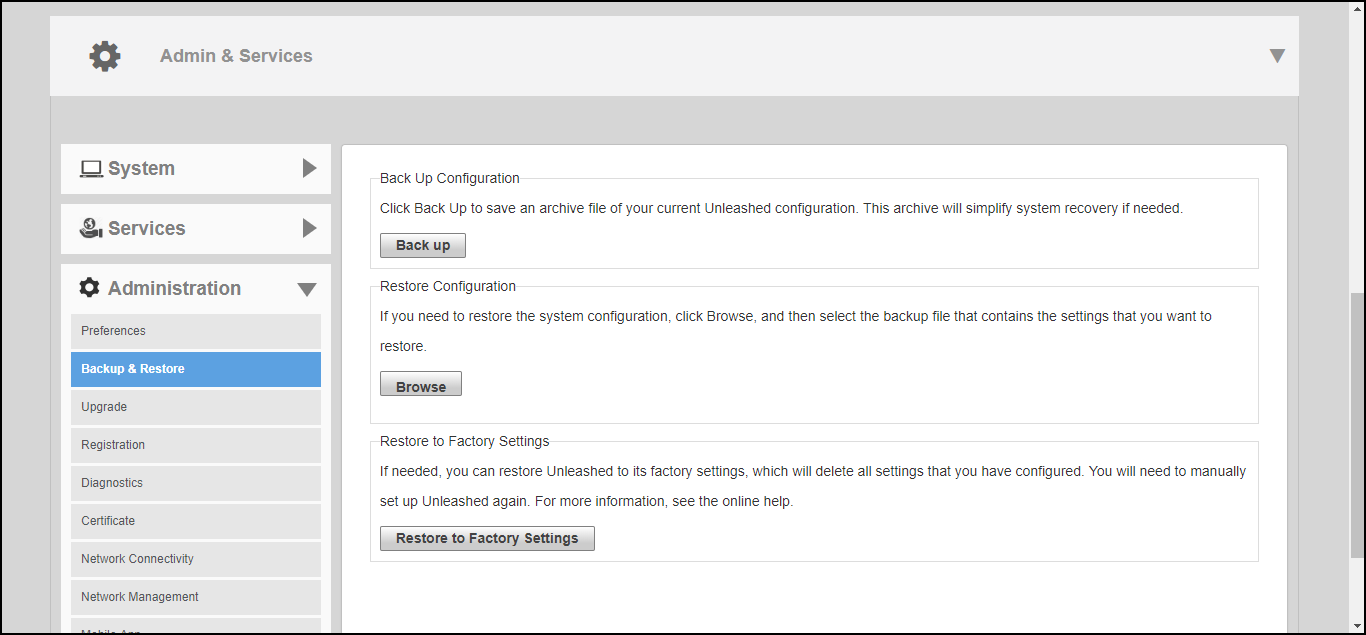
Select to configure options for backing up your current configuration, restoring the configuration from a previous backup file, or restoring the Master AP to factory settings.
Note: The backup is a small encrypted file
with a .bak extension saved to the location of your choosing.
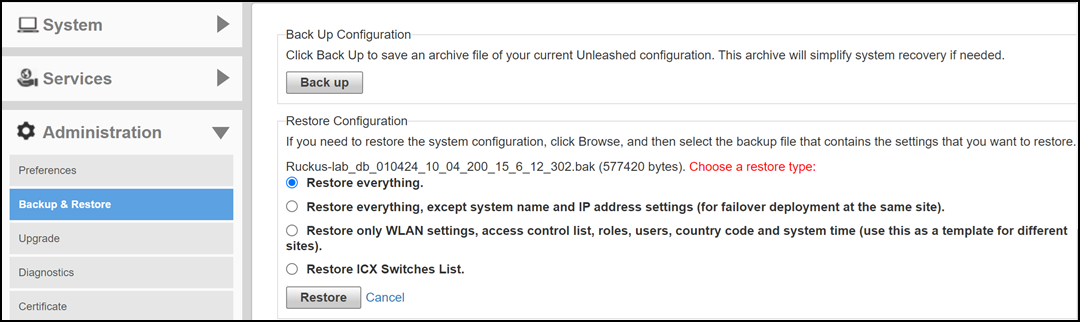
Complete the following steps to restore settings from a backup file.
- Click Browse to select your backup file and click Open.
- After the .bak file has been uploaded to RUCKUS Unleashed, select one of the three restore options for your RUCKUS Unleashed network: