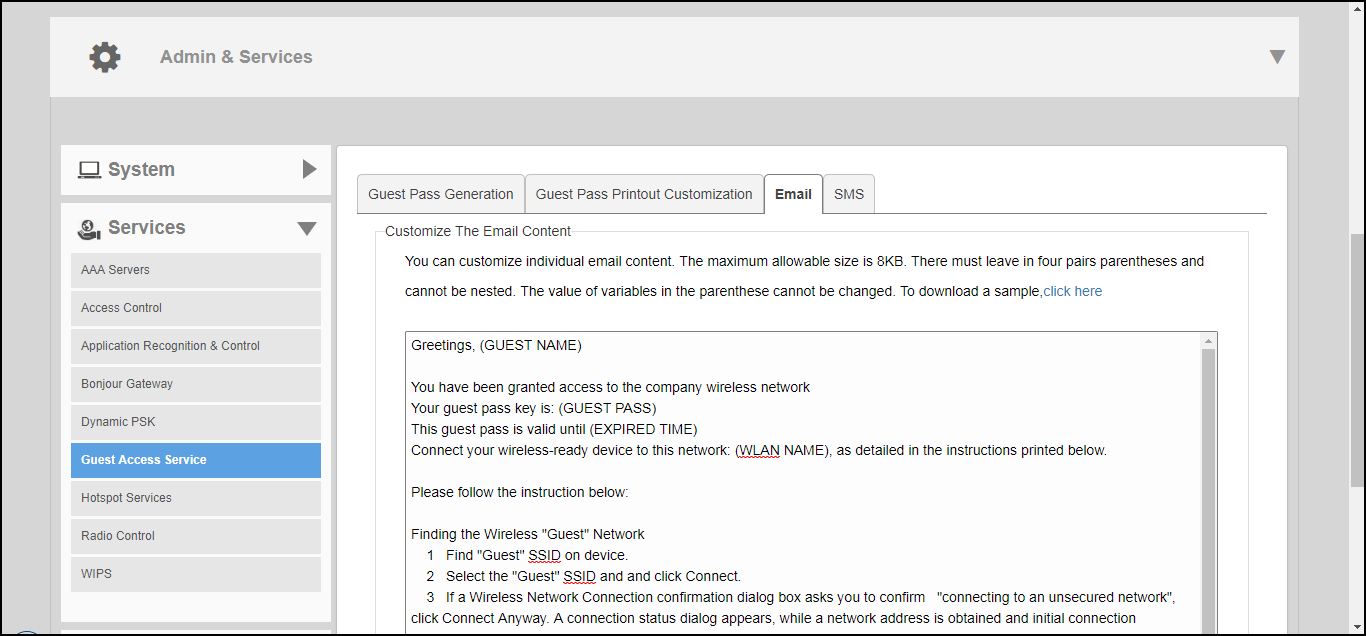
Customizing the Guest Pass Email Content
The Unleashed guest pass email content can be customized to suit your preferences.
Note: To allow Unleashed to deliver guest passes via email, you must first configure an
email account (and its SMTP settings) from which Unleashed will send the emails. For
information on configuring the email server, see
Configuring Email Server Settings.
Use the following procedure to customize the content of the email in which the guest pass keys will be delivered: