Creating a URL Filtering Profile
You must create a URL filtering profile before you can apply the profile to a WLAN
or to a user role.
- Go to Admin & Services Services > URL Filtering.
- Click the Profiles tab.
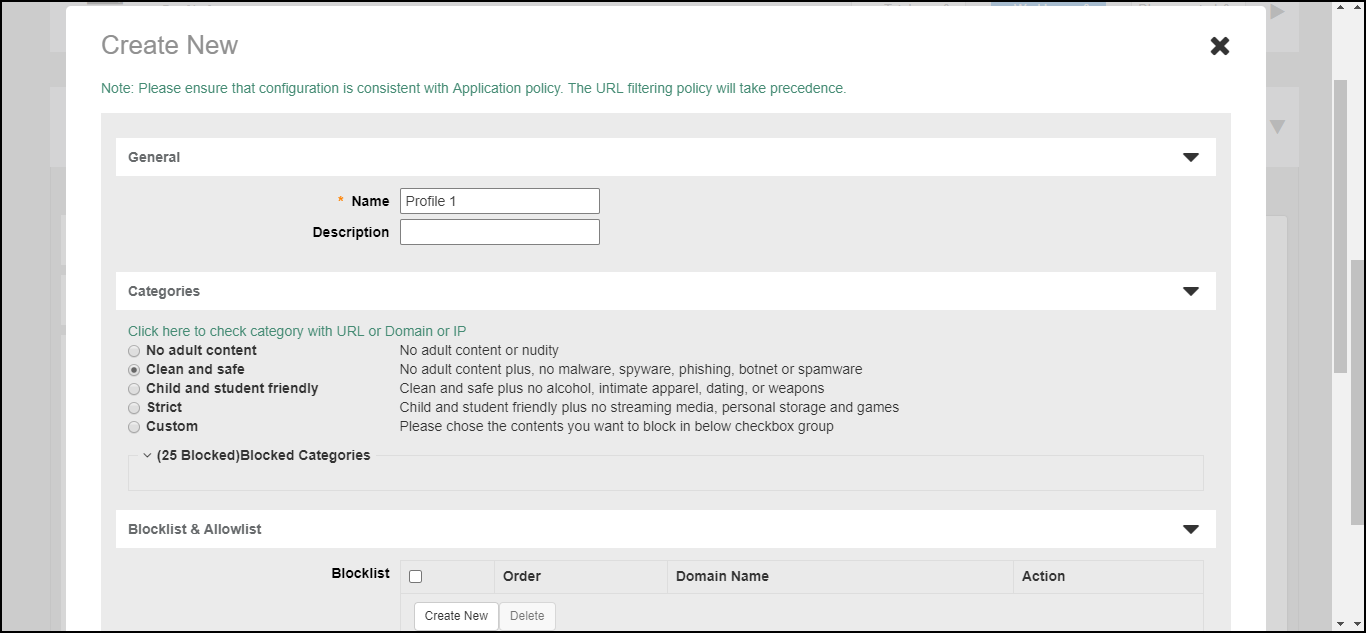
- Click Create. The Create New form appears.
- Enter a Name and optionally a Description for this profile.
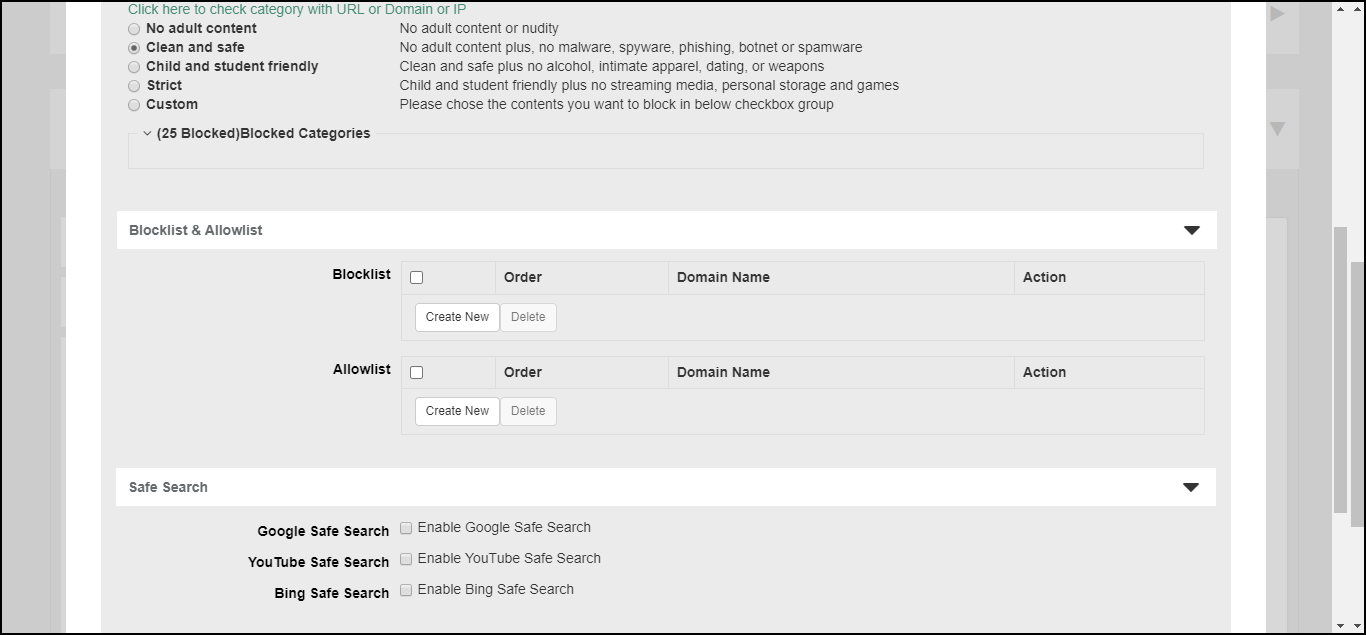
- Select one of the content filtering category groups, in increasing order of strictness, or select Custom, and select any number of individual categories.
- Optionally, in Blocklist & Allowlist, you can add custom URLs to either block or allow. Allowlist and blocklist entries override the rules configured above. A maximum of 16 blocklist and 16 allowlist entries can be created per profile.
- Optionally, in Safe Search, enable or disable "Safe Search" functionality from Google, Youtube, or Bing.
- Click OK to save your changes. A maximum of 32 profiles can be created.