You are viewing a cached version of this page.
You are currently offline. This page was loaded from cache.
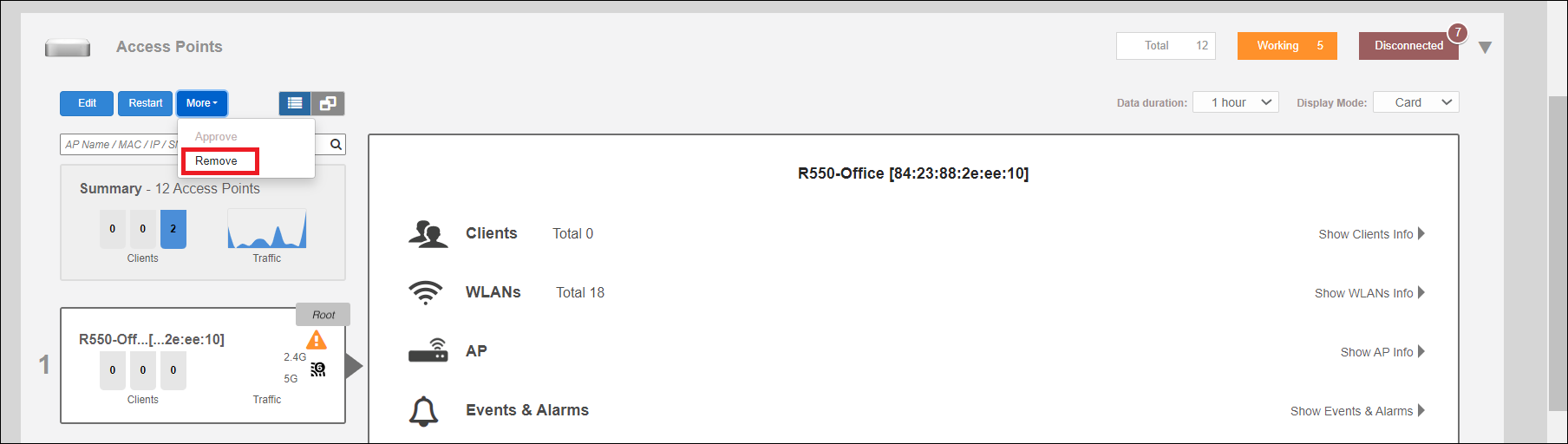
To remove a member AP from the Unleashed network, expand the Access Points section, click the AP's box on the left side, then click Remove.
Once removed, the Approve button becomes available. Click Approve to allow the AP to rejoin the Unleashed network.
Did you find what you were looking for?