Joining a Member AP to Dedicated Master Using Option 43 (Recommended)
Note: Before you begin, ensure that Dedicated Master setup has been completed.
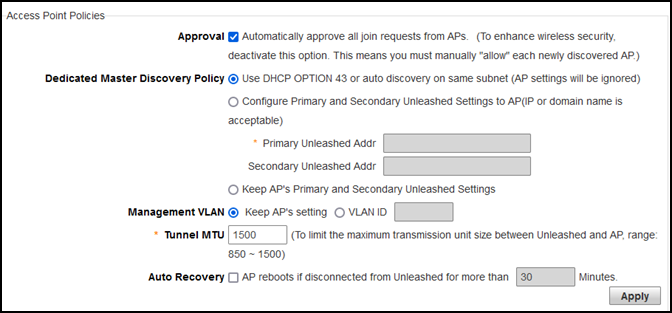
- Select .
- Select the Approval check box.
- For Dedicated Master Discovery Policy, select Use DHCP OPTION 43 or auto discovery on same subnet (AP settings will be ignored).
- Add the Option 43 setting under DHCP server in the Linux DHCP server.
- Power on the member AP to
retrieve the IP address from DHCP.The member AP automatically joins Dedicated Master.