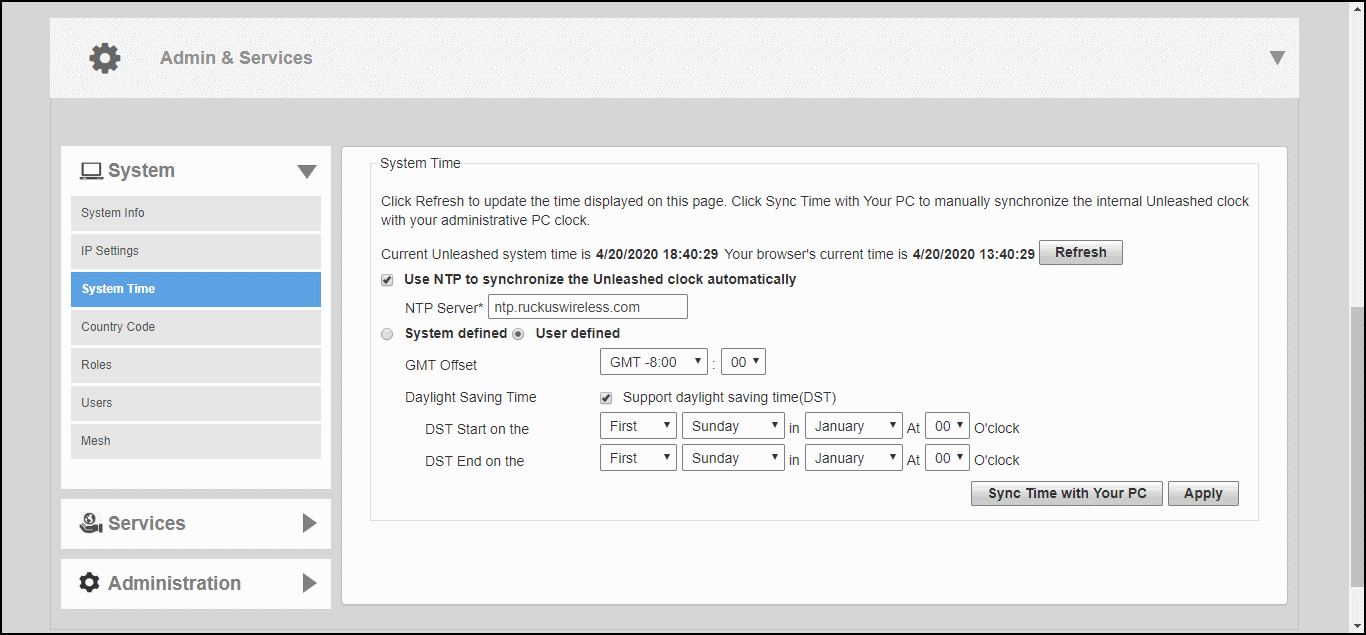
Configuring a User-Defined Time Zone
The user-defined time zone option allows the admin to customize the time zone and
daylight savings time start and end times.
- Go to Admin & Services > System > System Time.
- Enable Use NTP to synchronize the Unleashed clock automatically, and select User Defined.
- Select GMT Offset (hours and minutes) away from GMT.
- Optionally, enable Daylight Saving Time (DST), and enter the DST Start and DST End dates.
- Click Apply to save your changes.