Disabling WLAN Service on the Master AP

Because the Master AP has to perform a number of tasks at once, it may be useful in some scenarios to reduce the compute load on the Master AP by disabling its WLAN service and allow the Master to focus on controller functions.
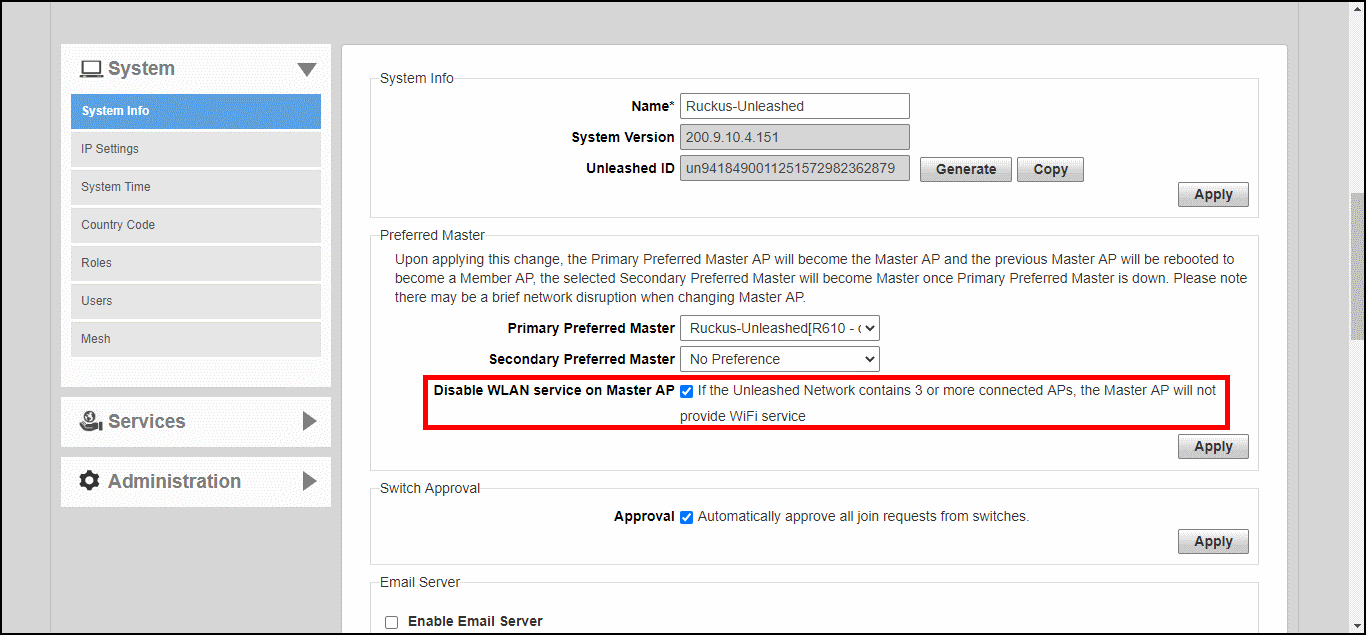
To disable WLAN service on the Master AP to allow it to focus on controller functions:
  1. Go to Admin & Services > System > System Info.
  2. In the Preferred Master section, deselect the Enable WLAN service on Master AP option.
  3. Click Apply to save your changes.
    Note: This feature will only take effect when the Unleashed network contains at least three other connected APs to provide WLAN service.

    Disabling Master AP WLAN service