Marking a Client as a Legacy Device

Designating a wireless client as a legacy device provides a way to change a password, but allows original connected wireless devices to continue using the previous password. On a large-scale deployment, marking a wireless client as a legacy device is effective because the customer is not required to change the passwords on all the connected wireless devices.
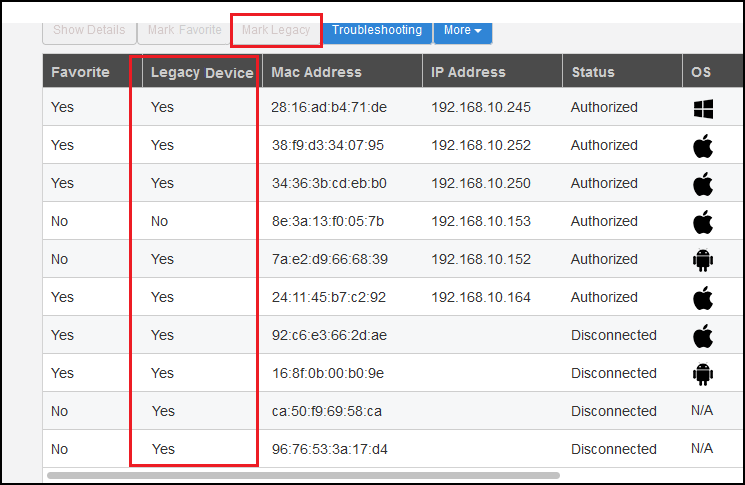
Complete the following steps to mark a wireless client as a legacy device.
  1. From the Unleashed dashboard, expand the Clients component.
  2. Under Wireless Clients, select a client from the list and click Mark Legacy.

    Marking a Client as a Legacy Device

    The devices marked as legacy devices are allowed to connect to the WLAN with the previous password. For more information, refer to "Creating a New WLAN".

  3. (Optional) Select a client and click More > Unmark Legacy to unmark the wireless client.