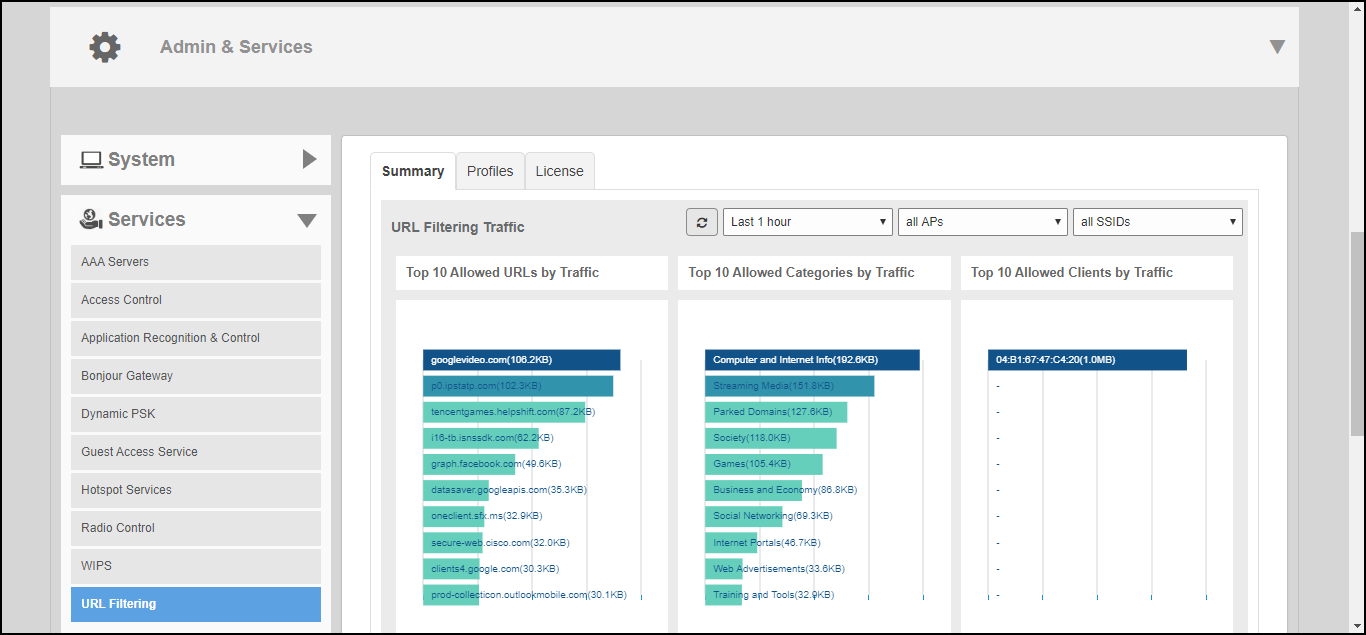
URL Filtering
The RUCKUS URL filtering implementation uses a third-party web classification system that groups a wide variety of internet domains into various levels of inappropriate content, and allows flexible control according to the deployment environment.
Each website is categorized into one of the 83 categories. To find out which category a website falls into, see the Webroot BrightCloud Server site lookup tool (https://www.brightcloud.com/tools/url-ip-lookup.php).
To deploy URL filtering, you must create a URL filtering profile using either one of the preset category groups or a customized selection of categories. Once a profile is created, you can apply it to one or more WLANs.
There are four pre-defined category groups and one custom category group:
- No adult content: No adult content or nudity.
- Clean and safe: No adult content plus no malware, spyware, phishing, botnets or spamware.
- Child and student friendly: Clean and safe plus no alcohol, intimate apparel, dating, or weapons.
- Strict: Child and student friendly plus no streaming media, personal storage and games.
- Custom: Select the categories of traffic to block from the list.
Once enabled, you can view lists of the top URLs blocked by the system, top clients attempting to visit restricted domains, top allowed URLs and content categories by traffic volume, and other useful metrics from the URL Filtering Summary tab.