Uploading X.509 Certificates on vSZ-D
You can upload X.509 certificates to the vSZ-D either during initial setup or after
initial setup through CLI.
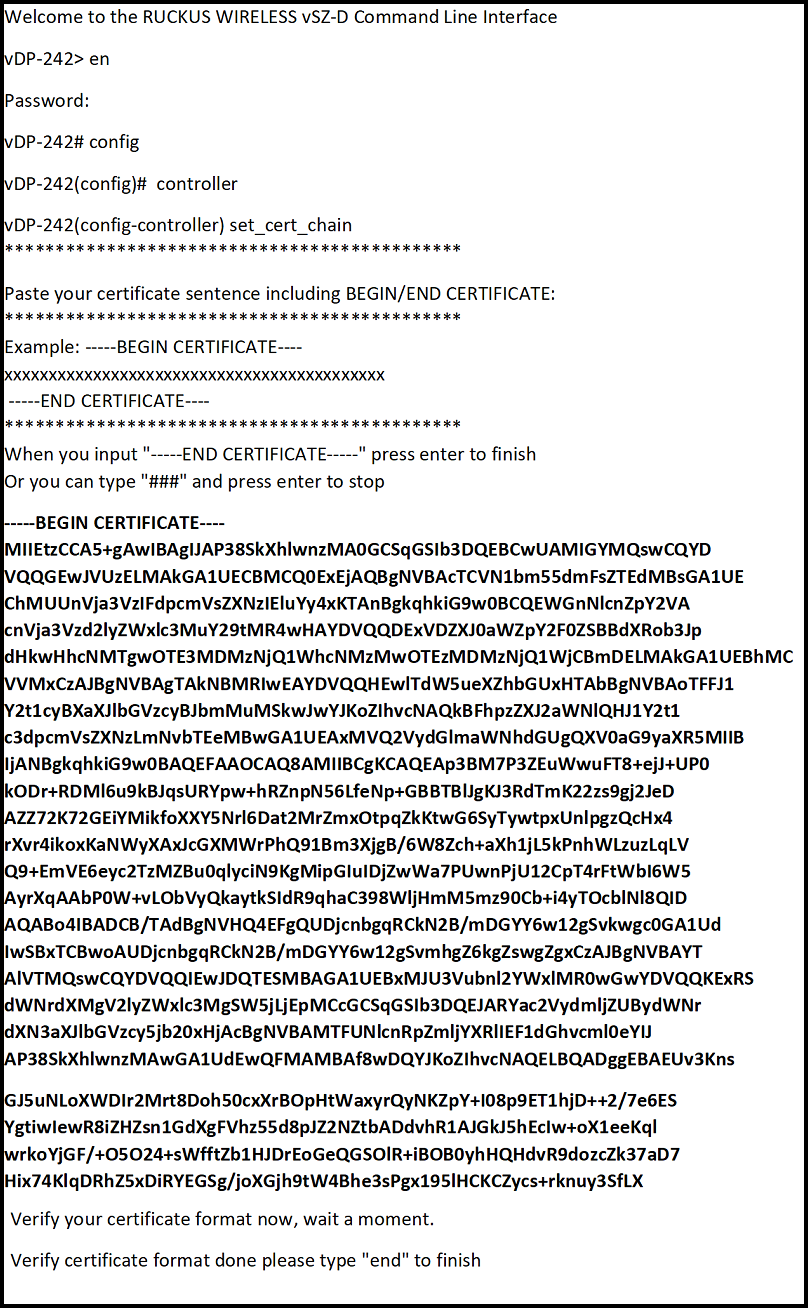
- Get contents of the ca.pem file, and copy the contents (from "Begin" to "End").
- In the command prompt, the following is displayed:
- In the command prompt, type y.
- The following message is displayed: ********************************************* Paste your certificate sentence including BEGIN/END CERTIFICATE: ********************************************* Example: -----BEGIN CERTIFICATE---- xxxxxxxxxxxxxxxxxxxxxxxxxxxxxxxxxxxxx -----END CERTIFICATE---- *********************************************Paste the contents of the ca.pem file.
- Copy and paste the certficate from BEGIN to END.
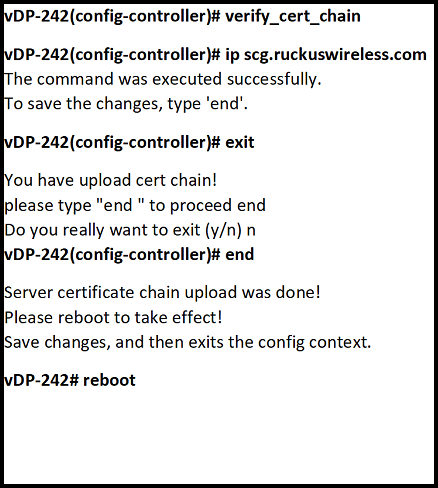
- In the command prompt, the following message is displayed: Do you want to verify vSZ server certificate chain (y/n):. Enter y.
- Validate the certificate using command prompt