SSH Authentication Method
It ensures encrypted communication and protects against unauthorized access. Depending on the deployment and security requirements, SSH authentication can be configured using username/password credentials or public key-based authentication. In FIPS mode, only FIPS-compliant authentication methods are supported to meet FIPS 140-3 standards.
SSH access can be configured using one of the following four authentication methods -
- Password Only – Authenticates using a username and password.
- Public Key Only – Authenticates using a configured SSH public key without a password.
- Public Key and Password – Requires both a valid public key and password for authentication.
- Public Key or Password – Allows authentication using either a valid public key or a password.
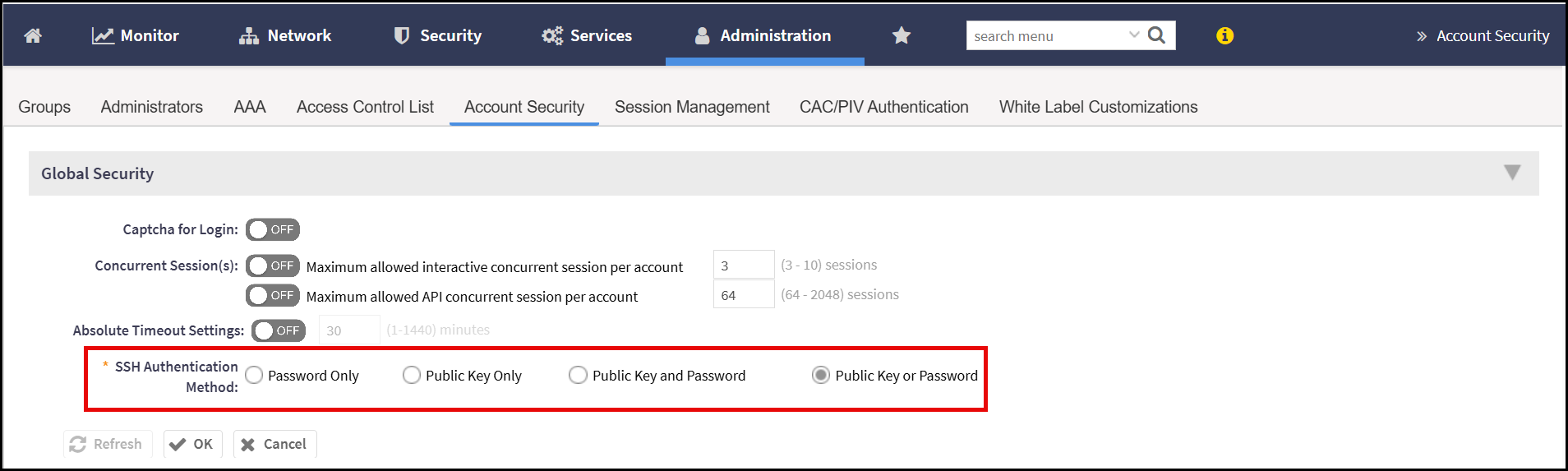
These options provide flexibility to meet various security and compliance requirements. In FIPS mode, only FIPS-approved methods are permitted.
The following are SSH Authentication - Key behaviours and restrictions -
- Default Authentication Method: By default, SSH login to SmartZone (SZ) uses password-based authentication, both before and after the setup procedure.
- Maximum Configurable Public Keys: Only the admin user can configure SSH public key authentication, with support for up to 10 public keys. The keys are validated for correct format before being accepted.
- Verification of Uploaded Public Key: When the admin attempts to upload or configure an SSH public key, SZ will display a notification if the key is invalid or a duplicate.
- Cluster Configuration: SSH public key authentication settings (including the chosen method and configured keys) are automatically synchronized across all nodes in the cluster to maintain consistency.
- Non-admin Accounts: Non-admin users are not allowed to configure SSH authentication methods or manage public key settings.
- Weak Cryptographic Algorithms: Public keys generated using weak cryptographic algorithms (such as DSA, ED25519, or RSA1) are not supported and will be rejected.
-
Uploaded Public Key Format: Public keys must follow the SSH-format, which has the structure:
"<algorithm> <key> [<comment>]"<key>must be Base64-encoded. This format is widely used in cloud platforms, even though it is not a formal cryptographic standard. - Public Key Authentication Failure Handling: If an admin attempts SSH login using public key authentication and it fails, the failure count is not incremented. This is because SSH clients may try multiple private keys during the authentication process, which could otherwise result in misleading failure statistics.
- Key Zeroization: All uploaded or configured public keys are securely deleted (zeroized) whenever the SZ system switches FIPS mode—either from enabled to disabled or vice versa. This ensures compliance with FIPS 140-3 requirements by preventing potential leakage or misuse of sensitive key material during mode transitions.