Signature Based Detection Rule
Signature-based (SB) detection rules are
global configurations. These rules are defined centrally and can be applied to a zone
or
across multiple zones.
As part of the Wireless Intrusion Detection monitoring system (for APs and EUDs), the monitoring AP scans incoming frames from EUDs for specific patterns. These frames are compared against the configured signatures, and upon a match, the SmartZone controller triggers an alert.
To create Signature-Based Rule, perform the following -
- From the main menu, navigate . This displays the Signature-Based Rule screen.
- In the Signature-Based Rule screen, click
Create.This displays the Create Signature-Based Detection Profile window.
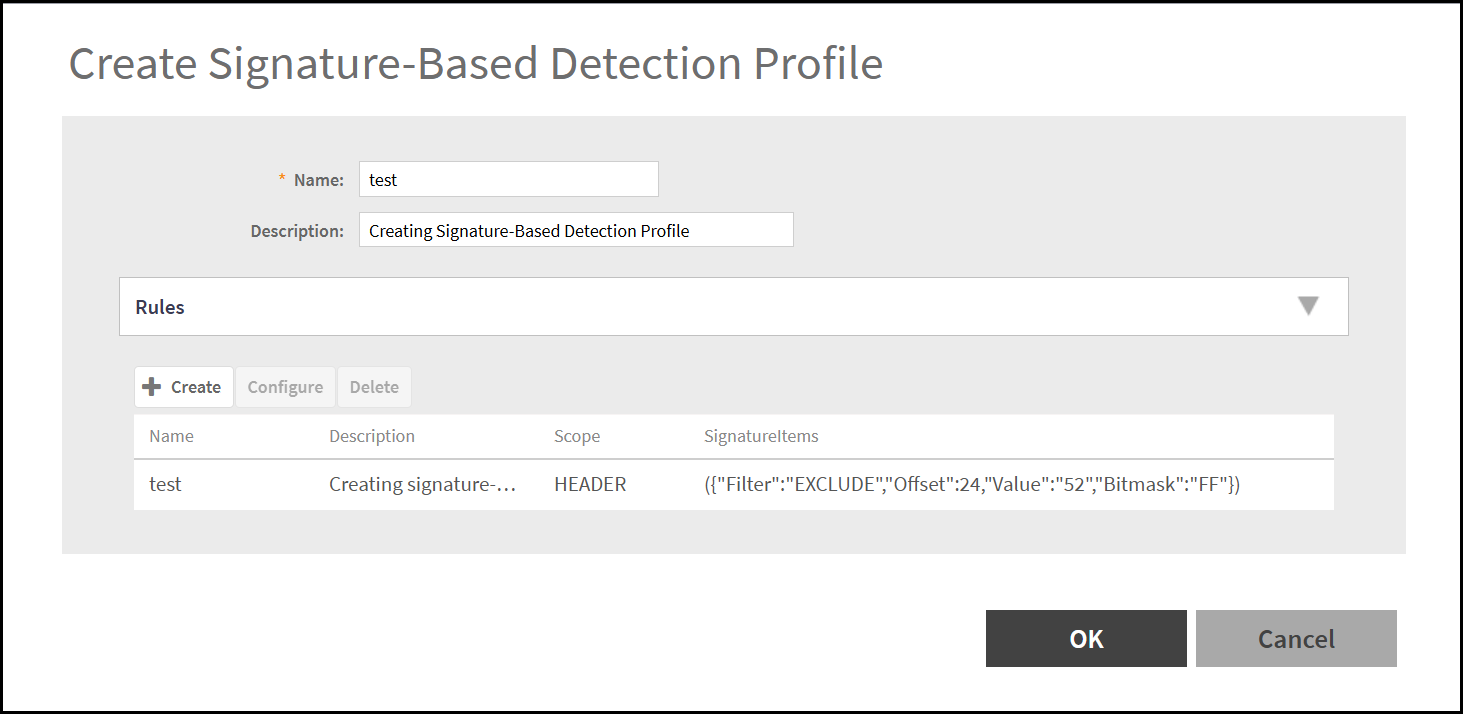
- In the Create Signature-Based Detection Profile window,
enter the following -
- Name - Enter a unique for the signature based detection profile.
- Description - Enter a brief description to provide additional context for the signature based detection profile.
- Rules - Provides the list of defined
signature-based detection rules included in the selected profile. In the
Rules section, click
Create to define the signature-based
detection rules and enter the following -
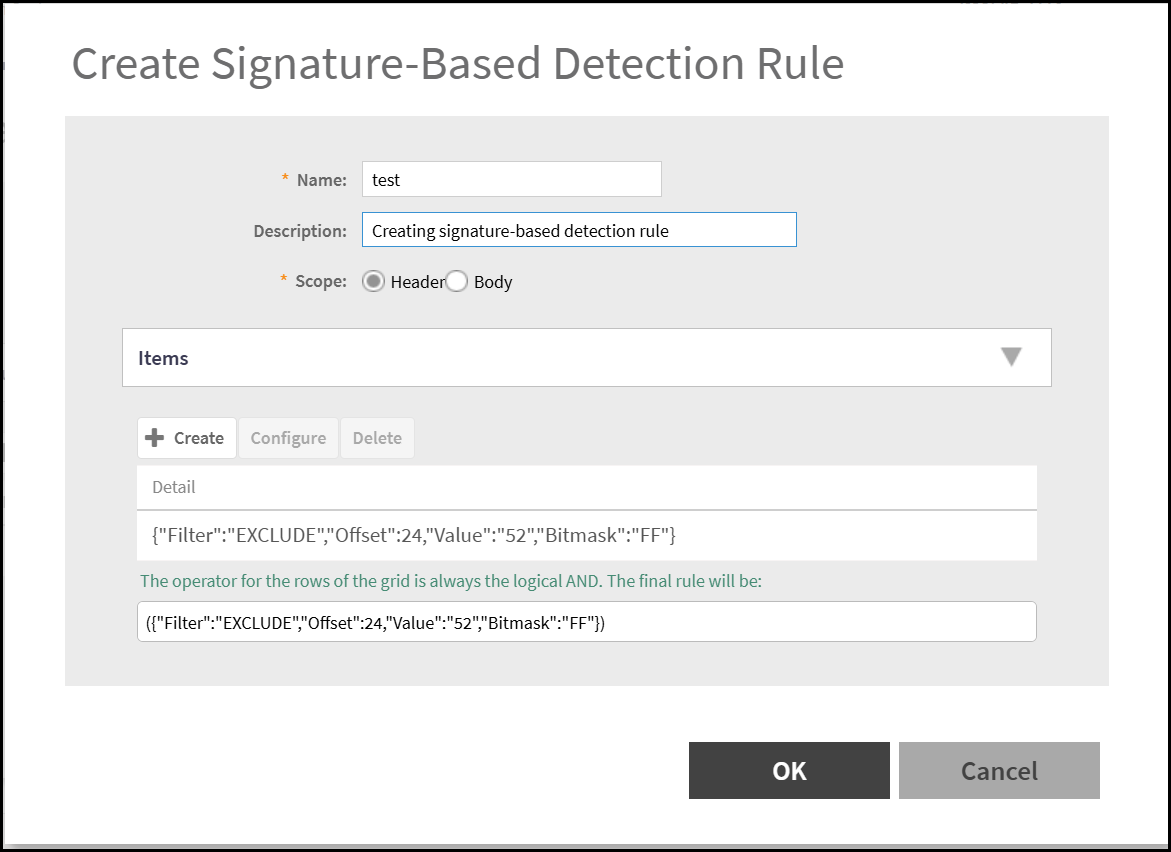
- Name - Enter a unique for the signature based detection rules.
- Description - Enter a brief description to provide additional context for the signature based detection rules.
- Scope - Selet the part of the wireless frame to which the signature-based detection rule is applied. The options are - Head or Body.
- Item - Specifies the specific frame element
or field to inspect within the selected scope (Header or Body).
Click Create to add signature-based
detection rule item. This displays the Create
Signature-Based Detection Rule Item
- Operator - Defines the logical relationship between multiple conditions in a signature-based detection rule. The options are - AND OR
- Details - Specifies advanced parameters that define how the signature-based detection rule evaluates the selected item. Enter the following options - Filter, Offset, Value, and Bitmask.
- After the Signature-Based Detection Rule Item is added, the item is displayed in the Create Signature-Based Detection Rule window.
- Click OK to add the Signature-Based Detection Rule.
- The new signature-based detection rule is displayed in the Create Signature-Based Detection Profile window.
- The new signature-based rule is created.