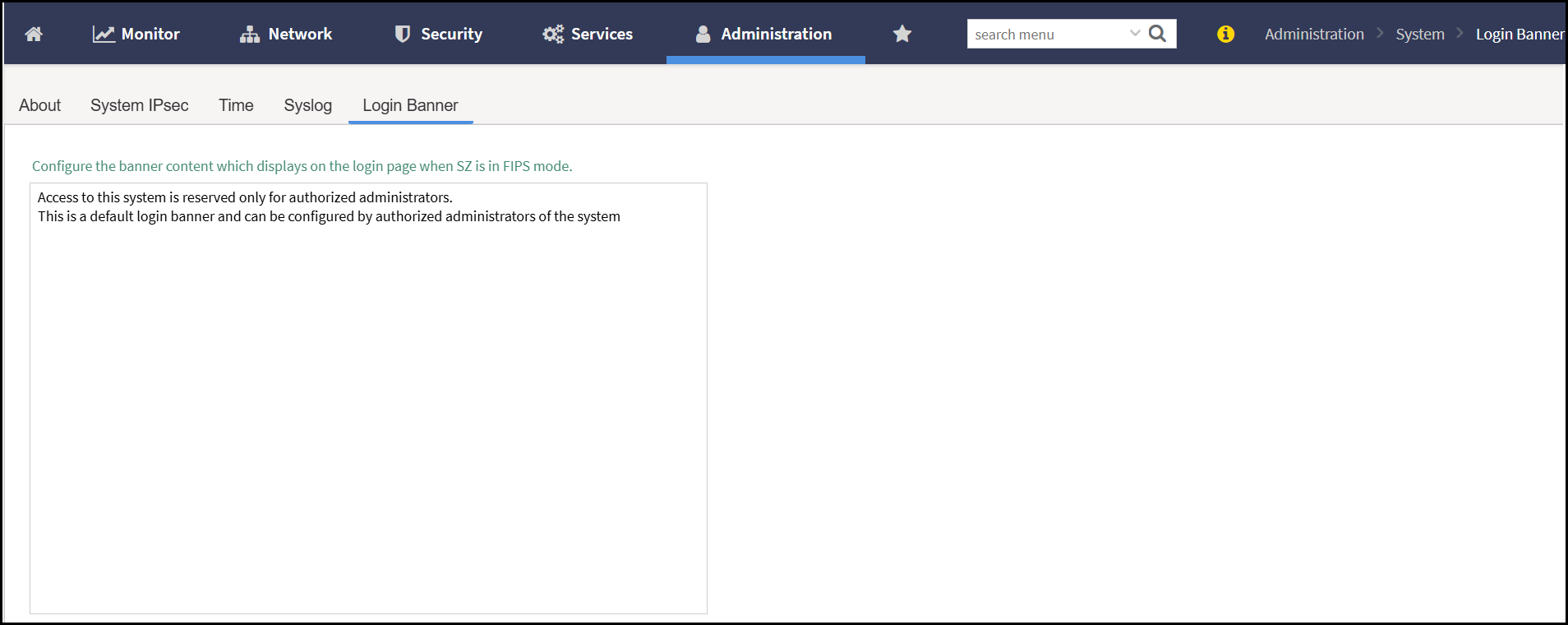
Setting Up the Login Banner
The login banner displays a custom message
before users log in to the web interface, CLI, or console. It can be used to present
security
warnings, legal disclaimers, or acceptable use policies.
- For Graphical User Interface (GUI) login banner, perform the following -
- For Command Line
Interface login banner, perform the following -
- Connect to the controller's SSH.
- Enter administrator password.
administrator@test:~$ ssh admin@10.174.69.106
The authenticity of host '10.174.69.106 (10.174.69.106)' can't be established.
ECDSA key fingerprint is SHA256:+7pe4u9lqQI6xXT1oeVCVSl/R/kOWIsl6WOJm+6Wkho.
Are you sure you want to continue connecting (yes/no)? yes
Warning: Permanently added '10.174.69.106' (ECDSA) to the list of known hosts.
Access to this system is reserved only for authorized administrators.
This is a default login banner and can be configured by authorized administrators of the system
admin@10.174.69.106's password:
Please wait. CLI initializing...

Welcome to the Ruckus Virtual SmartZone - Essentials Command Line Interface
Version: 7.1.1.3

vSZ-fips> en
Password: ********