Configuring the Switch Connection to the Controller
The vSZ controller allows switches to join
and connect with supported hardware platforms. To establish this connection, ensure
that
port 987 on the controller is open for the switch to register.
Note: Required only if
the software is managed from version 5.2.1.3 and upgraded to 7.1.1.3; otherwise,
not
required.
To configure the switches to connect to the controller, perform the
following - - Acces the switch using Telnet.
- Enter the below command to access the configure terminal mode.
- Enter the command
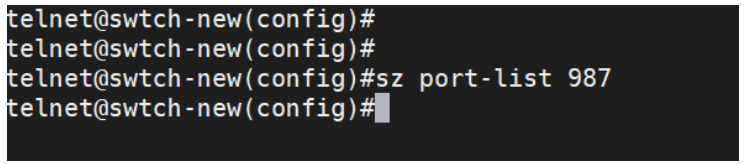
sz disableto disable the controller. - Enter the command
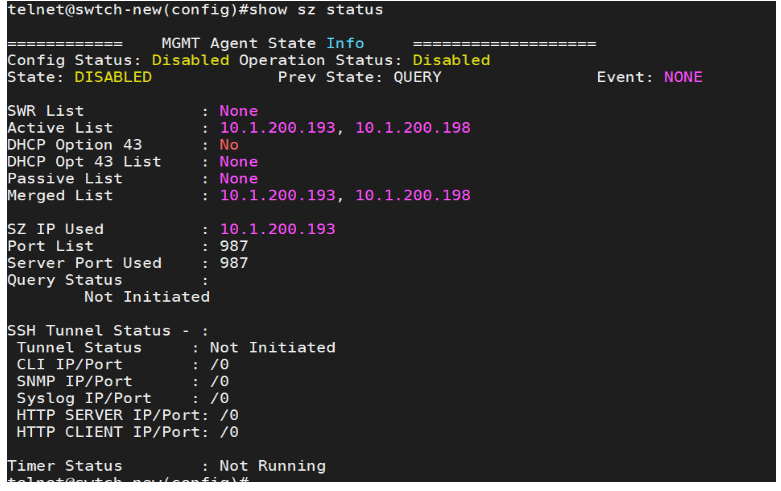
sz port-list 987to open the port 987. - Enter the command
show sz statusto verify that the Port List and Server Port value is set to 987. - Remove the current SmartZone
active list by executing the command
no sz active-list
                     						10.1.200.193 10.1.200.198
. - Execute the command
sz active -list
                     						10.1.200.215
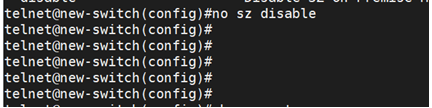
where IP adress is the IP address of the controller. - Execute the command
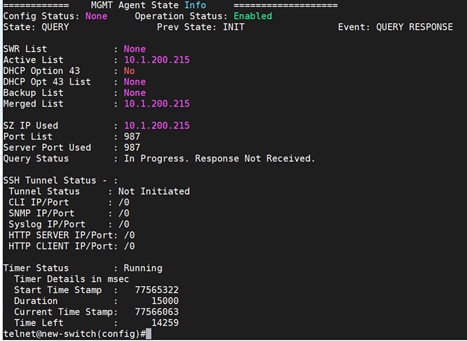
no sz disableto enable SmartZone discovery for switch. - Enter the command
show sz statusto view the current connection status of switch and SmartZone. - The switch is appears under the staging group with an offline status.