Audit/Event Alert
Generates alerts based on system events or
configuration changes, helping administrators monitor activity and detect potential
security
or operational issues.
System level Audit/Event Alert
Monitors and generates alerts for system-level events, such as configuration changes, admin logins, and policy updates, to support auditing and compliance tracking.
To enable/disable system level audit/event alert, perform the following -
- From the main menu, navigate to .
This displays the Event Management screen.
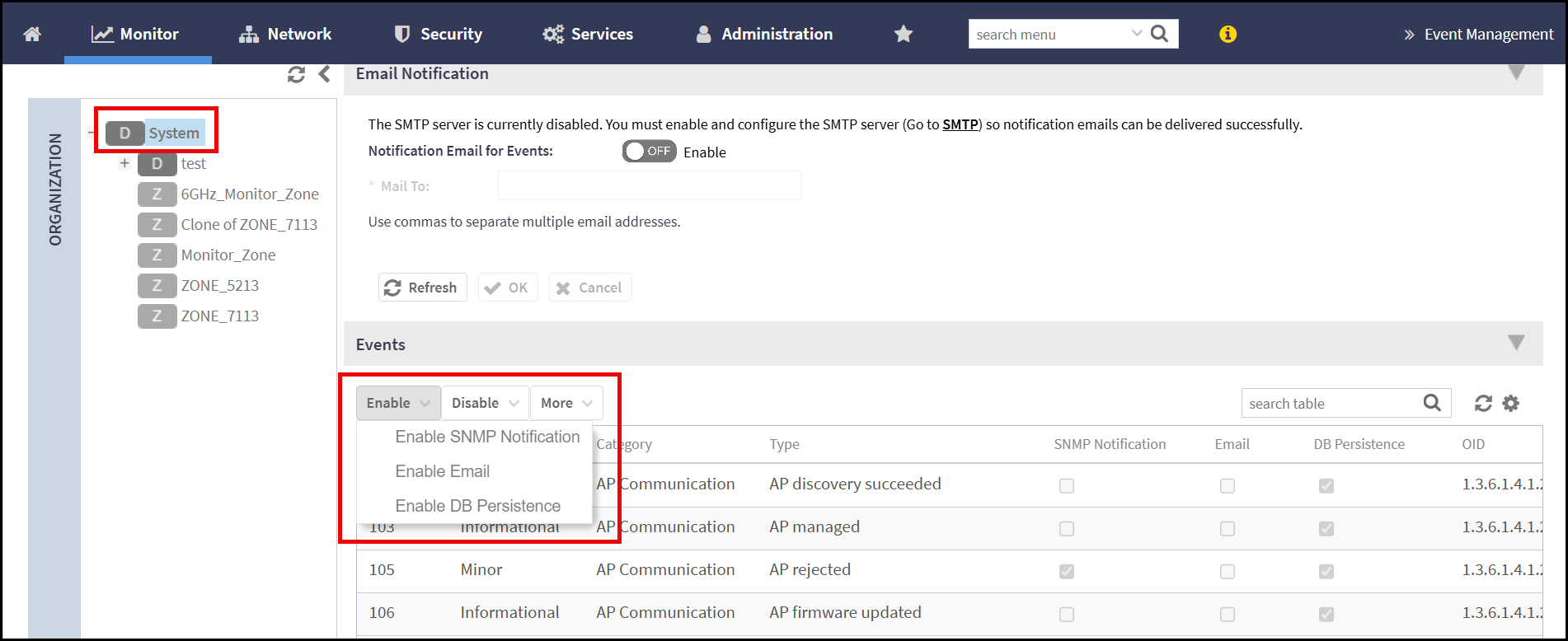
- In the Event Management screen, go to Events section and select System from the system hierracy.
- Select the events from the list and click Enable or
Disable drop-down list to enable/disable the
following -
- Enable/Disable SNMP Notification - Enables/disables the system to send SNMP traps to configured SNMP managers when specific events or alarms are triggered.
- Enable/Disable Email - Enables/disables the system to send email notifications
- Enable/Disable DB Persistence - Enables/disables temporary storage
of event and audit logs in the system database. Data is retained for
up to 7 days before being purged, after which new events overwrite
the old data.
Note: It is recommended to always enable DB Persistence to ensure short-term retention of event and audit logs within the system.
Zone Level Audit/Event Alert
Monitors and generates alerts for zone-specific events such as AP status changes, client associations, or configuration updates.
To enable/disable the zone level audit/event alerts, perform the following -
- From the main menu, navigate to .
This displays the Event Management screen.
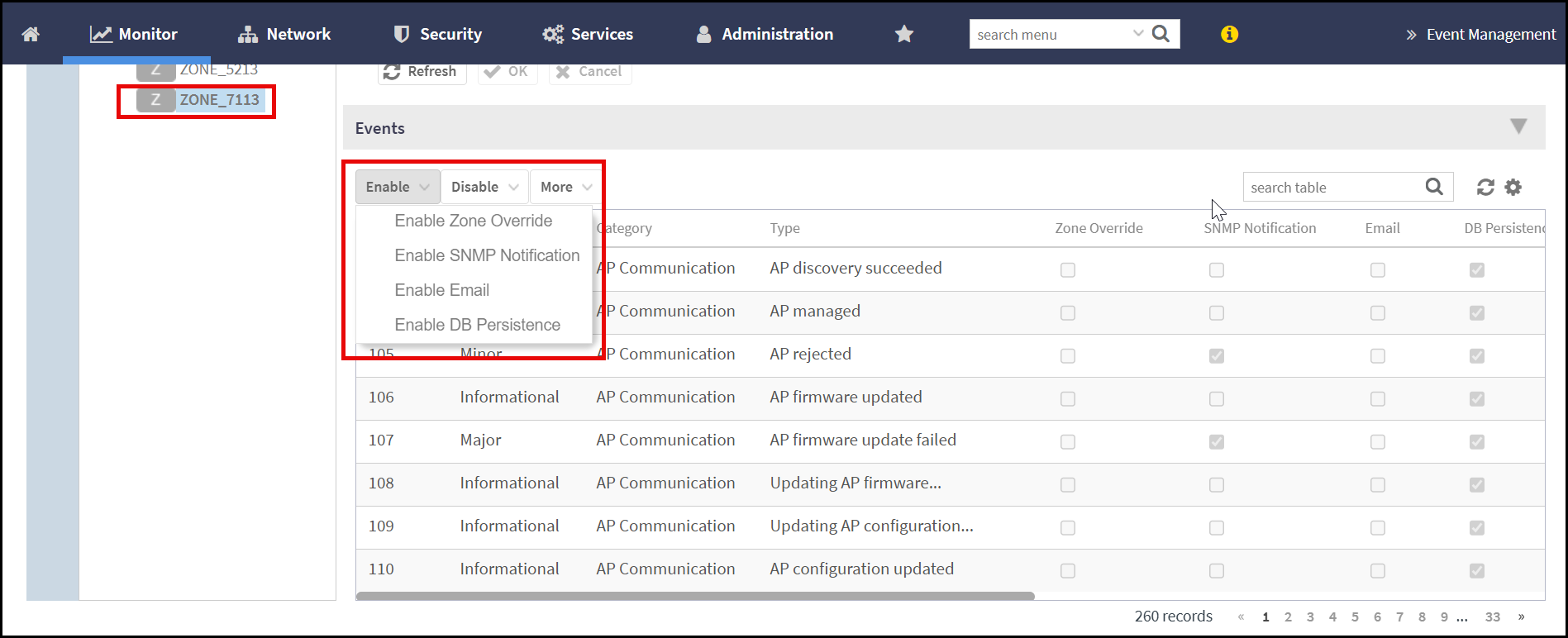
- In the Event Management screen, go to Events section and select a Zone from the system hierracy.
- Select the events from the
list and click Enable or
Disable drop-down list to enable/disable the
following -
- Enable Zone Override - Allows zone-level settings to override system-level configurations for specific features or policies.
- Enable/Disable SNMP Notification - Enables/disables the system to send SNMP traps to configured SNMP managers when specific events or alarms are triggered.
- Enable/Disable Email - Enables/disables the system to send email notifications
- Enable/Disable DB Persistence - Enables/disables temporary storage
of event and audit logs in the system database. Data is retained for
up to 7 days before being purged, after which new events overwrite
the old data.
Note: It is recommended to always enable DB Persistence to ensure short-term retention of event and audit logs within the system.
Note: There are 4 types of severity level, Critical, Warning, Major and Info.