Enabling Other Secured Communication Services
Enables additional secure
communication protocols on the system to ensure encrypted data transfer and remote
access.
Note: The secured communication service Syslog is a part of Common
Criteria (CC) evaluation whereas the SFTP and SNMP services are not been
evaluated as part of CC evaluation.
WISPr Northbound Interface
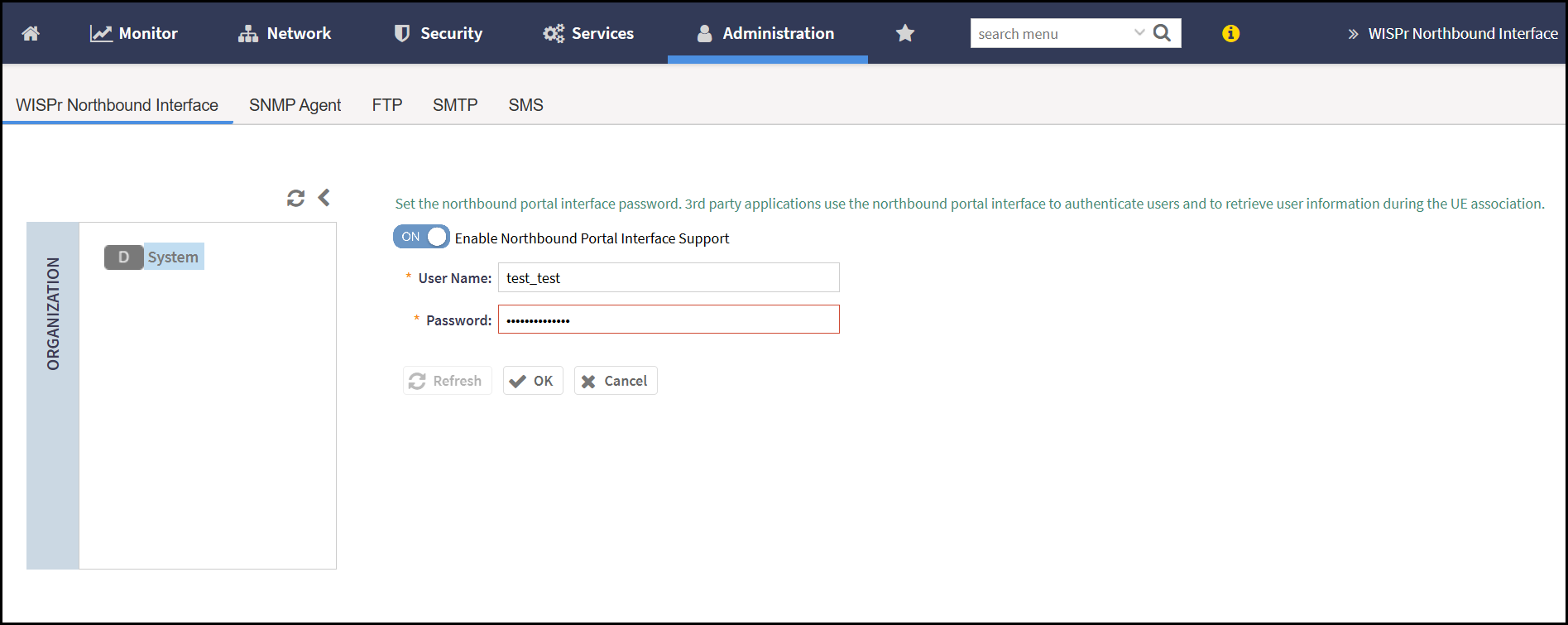
The Wireless Internet Service Provider roaming (WISPr) protocol allows external systems to manage user authentication, accounting, and redirection during hotspot access sessions.
SNMP Agent
SNMP Agent is an embedded network device that collects and stores management data, and communicates with the SNMP Manager using the Simple Network Management Protocol.
- To enable SNMP Agent, from the main menu, navigate to .
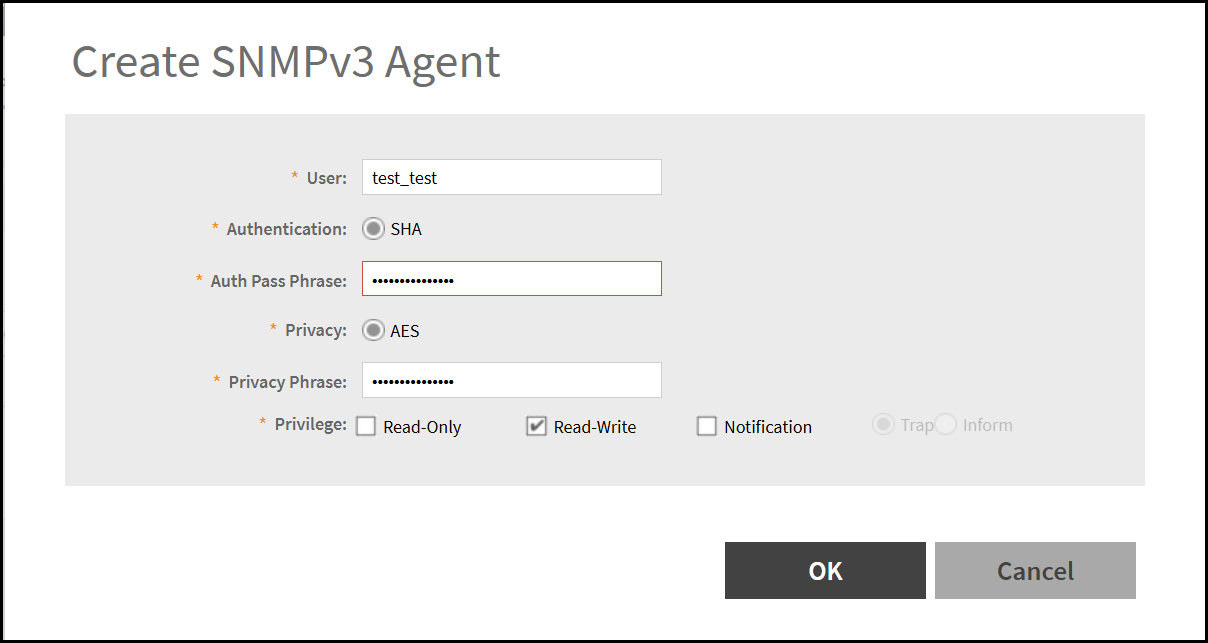
- In the SNMPv3 Agent screen,
click Create. This displays the Create SNMPv3
Agent window. Enter the following details -
- User - Enter the user name.
- Authentication - This option is selected by default as SHA. In SNMPv3, SHA is used as the authentication protocol to ensure the message is from a valid source and has not been tampered with during the transmission.
- Auth Pass Phrase - Enter the secret key used to authenticate communication between the SNMP manager and the SNMP agent.
- Privacy - This option is selected by default as AES. In SNMPv3, Advacne Encryption Standard (AES) is used to encrypt the SNMP messages.
- Privacy Phrase - Enter the secrete key used to encrypt and decrypt SNMP messages.
- Privilege - Select the check box to assign the access rights to an SNMP user. The options are -
SFTP
A standard network protocol used to transfer files between a client and a server over a TCP/IP network.
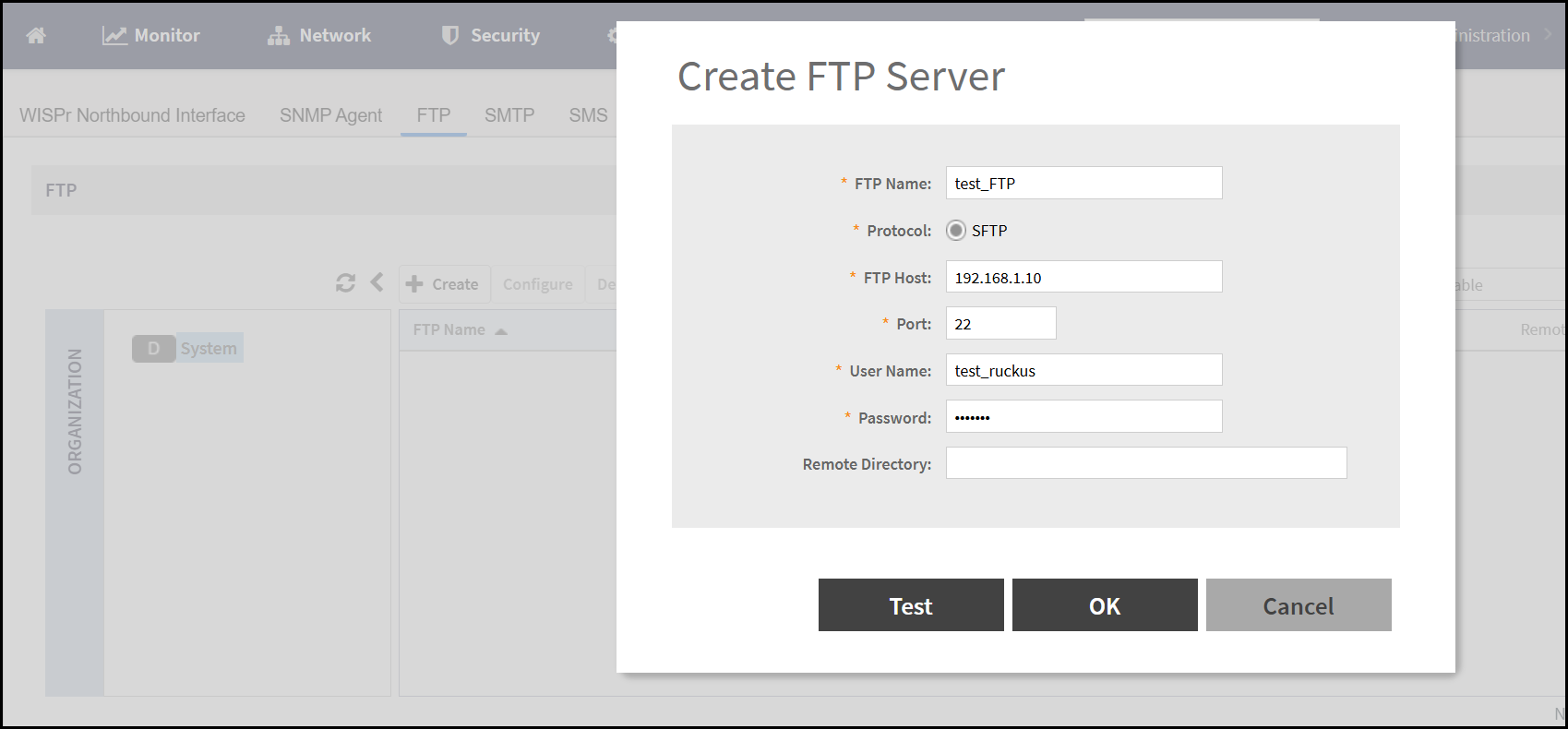
- To enable FTP, navigate to . This displays the FTP window.
- Select the required FTP or click Create to add a new
FTP and enter the following details -
- FTP Name - Enter the name required to authenticate and access FTP server.
- Protocol - This option is selected by default as SFTP. In FTP,the system is using the SSH File Transfer Protocol (SFTP) for secure file transfer.
- FTP Host - Enter the address of the FTP server to which the client connects for file transfers.
- Port - Enter the network port number used to establish a connection with the server.
- User Name - Enter the user name.
- Password - Enter the unique password for the user to access the FTP server.
- Remote Directory - Enter the folder path on the FTP or SFTP server where files are uploaded to or downloaded from.