Configuring the FIPS Disable Mode
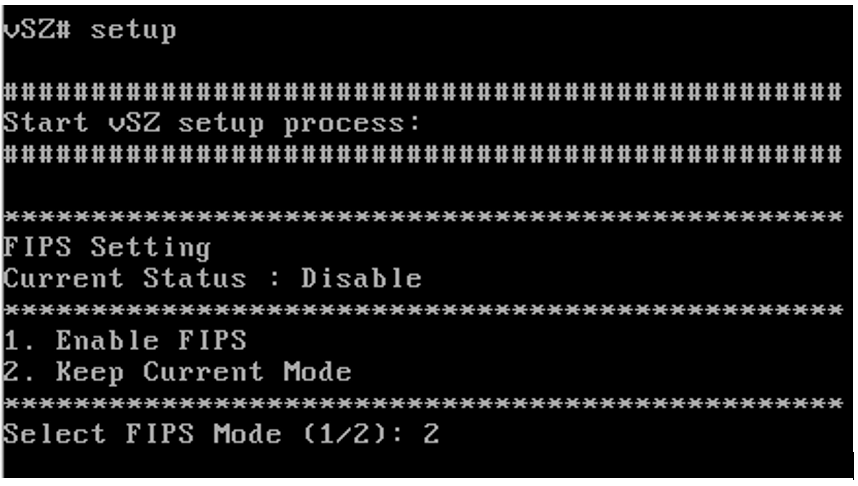
- During the initial setup, the mode can be set to ENABLED or retained at the default setting.
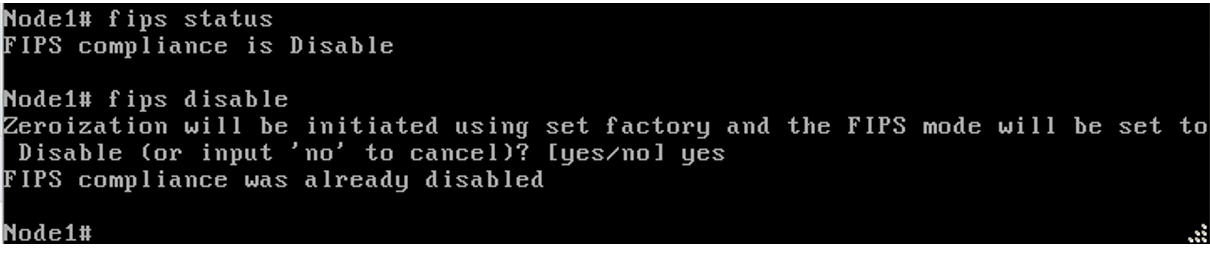
- Enter fips status to verify whether FIPS mode is enabled or disabled.
- Enter fips disable to disable FIPS mode, and enter yes to confirm.
- Enter fips enable to enable FIPS mode, and enter yes to confirm.
- If the mode entered is same as current mode, then the warning is shown and no action can be taken further.
- Performing the POST and integrity tests in the fips disable mode.
- Enter fips showlog to display the results of an on-demand test of FIPS crypto modules.