Administrating the Controller Remotely
Manage and monitor the controller from
remote locations using secure access methods. This includes performing configuration
changes, troubleshooting, and routine maintenance without requiring physical access
to the
system.
- Using controller (SmartZone)
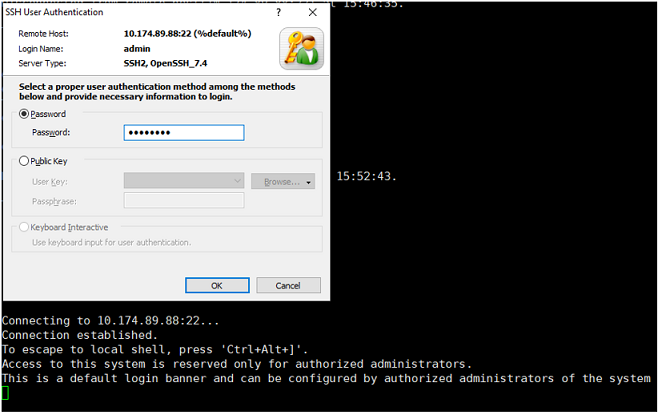
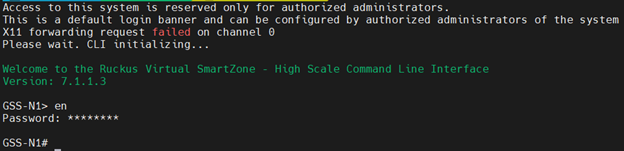
management IP address, user can SSH and login to CLI console.
The following algorithms are supported for SSHv2 by SZ controller:
- Encryption Algorithms (client): aes128-ctr, aes256-ctr, aes256-gcm@openssh.com
- Encryption Algorithms (server): aes128-ctr, aes256-ctr, aes256-gcm@openssh.com
- Host Key Algorithms (client): rsa-sha2-256, rsa-sha2-512, ecdsa-sha2-nistp384
- Host Key Algorithms (server): rsa-sha2-512, ecdsa-sha2-nistp256, ecdsa-sha2-nistp384
- Public Key Algorithms (client): rsa-sha2-512
- Public Key Algorithms (server): ssh-rsa, rsa-sha2-256, rsa-sha2-512, ecdsa-sha2-nistp384
- Data Integrity/MAC algorithms (client): hmac-sha2-256, hmac-sha2-512
- Data Integrity / MAC algorithms (server): hmac-sha2-256, hmac-sha2-512
- Key Exchange Methods (client): ecdh-sha2-nistp256, ecdh-sha2-nistp384, ecdh-sha2-nistp521
- Key Exchange Algorithms (server): ecdh-sha2-nistp256, ecdh-sha2-nistp384, ecdh-sha2-nistp521
Note: Per the Protection Profile (PP), 'implicit' is included for aes256-gcm@openssh.com as the encryption algorithm. When aes256-gcm@openssh.com is negotiated, the MAC algorithm field is ignored, and GCM is implicitly used as the MAC. "implicit" is not an SSH algorithm identifier and is not transmitted on the wire; however, the negotiated MAC might be decoded as "implicit".Note: If the SSH connection is broken then it can be manually re-established. - Enter the IP address
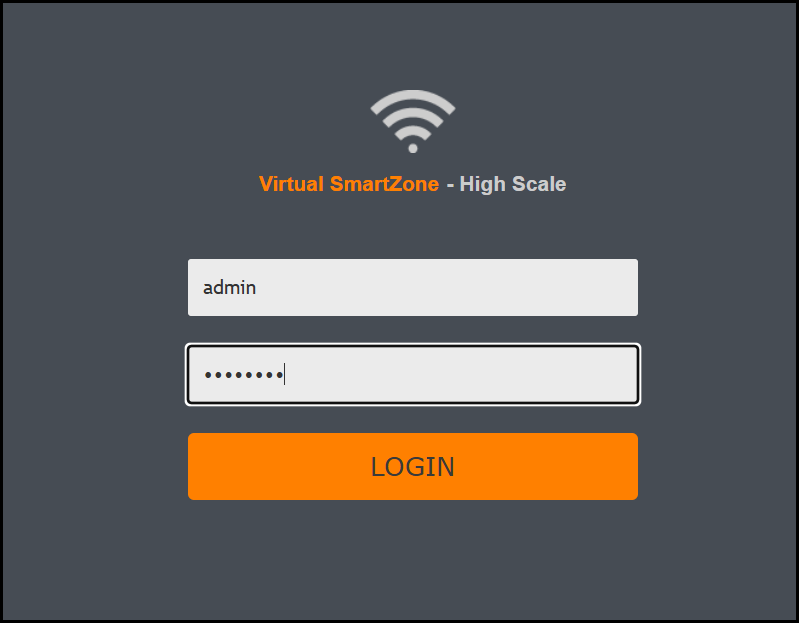
https://MGMT-INTERFACE-IP:8443 in the browser to access the controller Web UI.
Specific configuration is not required to access the SSH and Web UI session, its enabled by default. The controller provides remote administration of the system through secure communication channel (Web UI via HTTPS and CLI via SSH) . Accordingly, TLS version 1.2 is supported and the following cipher suites are supported for TLS/HTTPS:Note: If the HTTPS/ Web UI connection is broken due to any issues then it can be manually re-established.