Configuring Controller Connections to the Switch

Provides the steps and requirements for connecting the controller to a network switch, including port configuration, VLAN assignment, and IP settings to ensure reliable network communication.
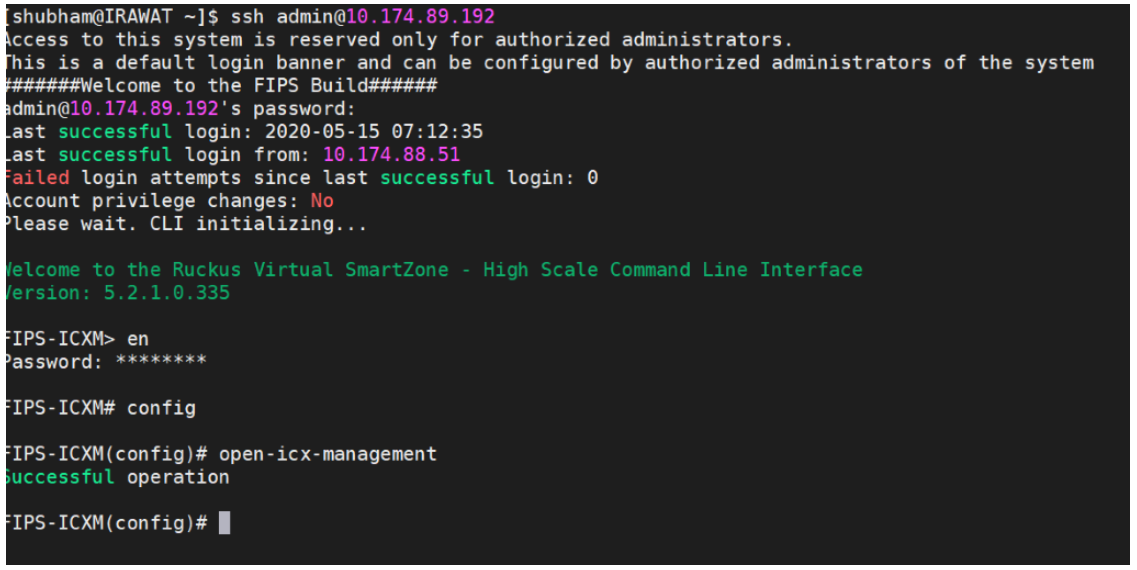
You must perform the following steps to configure the controller to access the switch connectivity.
  1. Log in to the FIPS-enabled controller using SSH.
  2. Go to configuration mode, and enter the command open-icx-management.
    Note: This command is supported only in 5.2.1.3 and is not available in 7.1.1.3.