Configuring X.509 Server Certificates on the Controller
X.509 server certificates are used to
establish secure, encrypted communication between the controller and external systems.
Configuring these certificates ensures authentication, data integrity, and compliance
with
security standards.
- From the main menu, navigate to
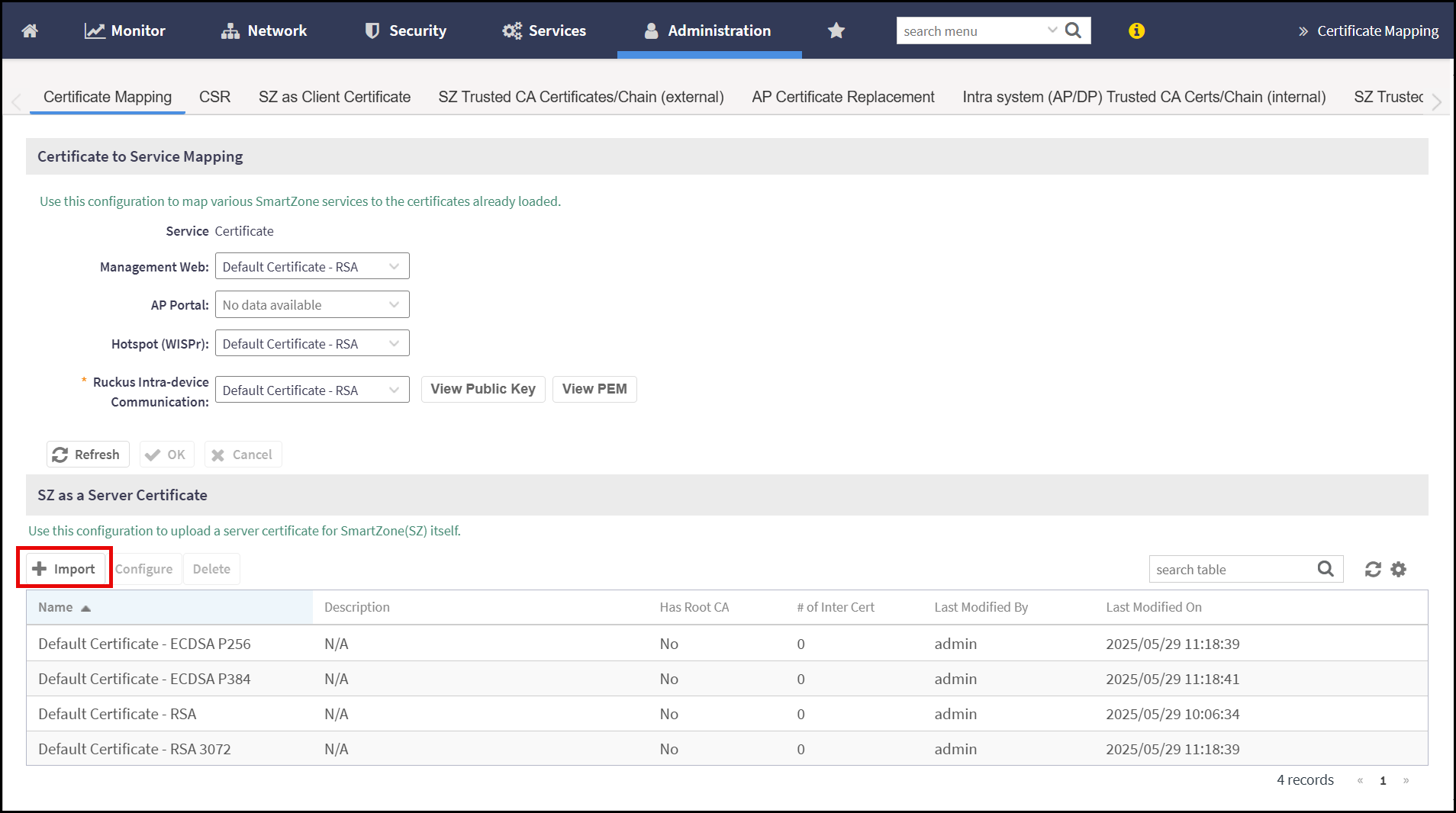
.This displays the Certificate Mapping screen.
- In the Certificate Mapping screen, navigate
to SZ as a Server Certificate section and click
Import.This displays the Import Certificate window.
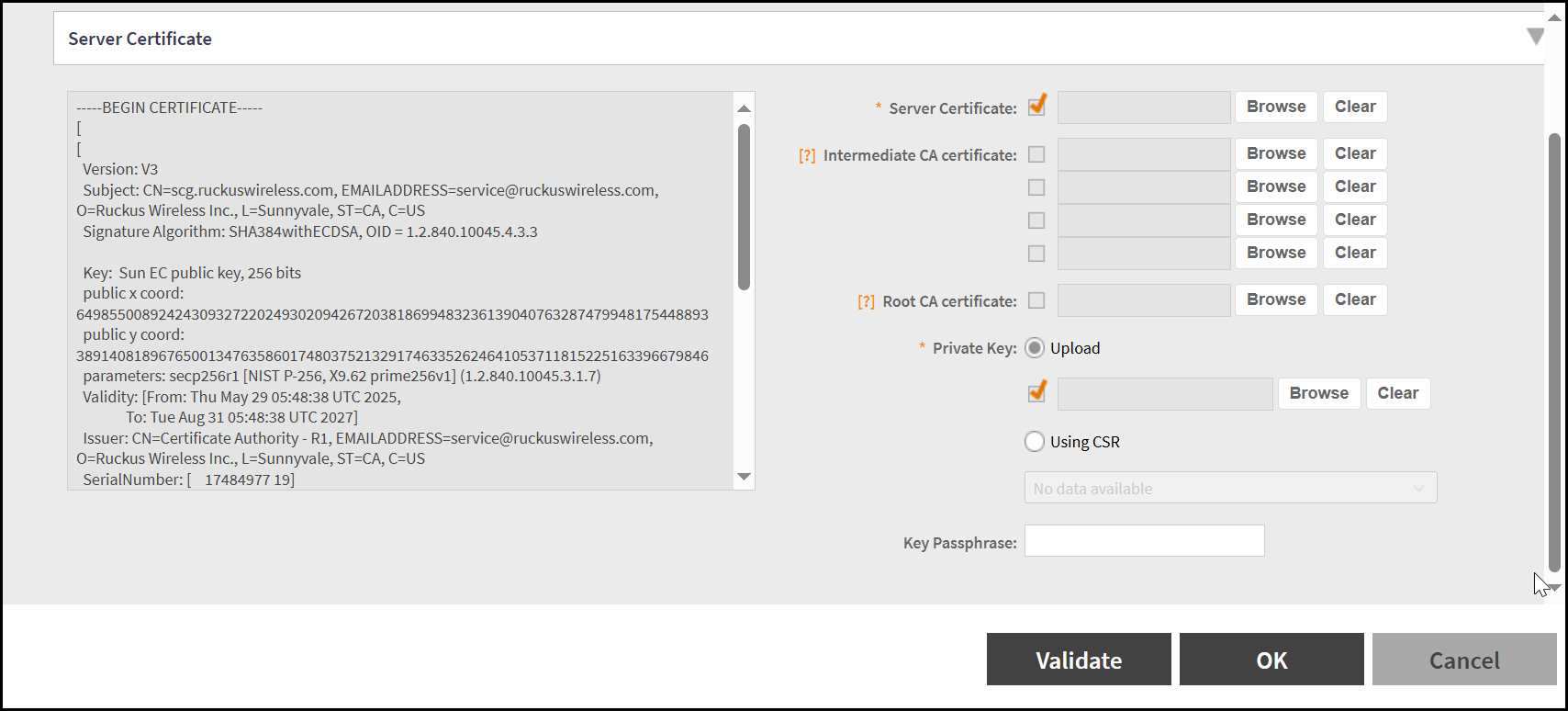
- In the Import Certificate window. The Server
Certificate and Private Key are mandatory
fields.
- To upload the Server Certificate, click Browse and upload the server certificate from the local machine. The Server Certificate check box selected automatically and the certificate details are displayed in the corresponding window.
- To upload the Private Key, click Browse and upload the private key details from the local machine.
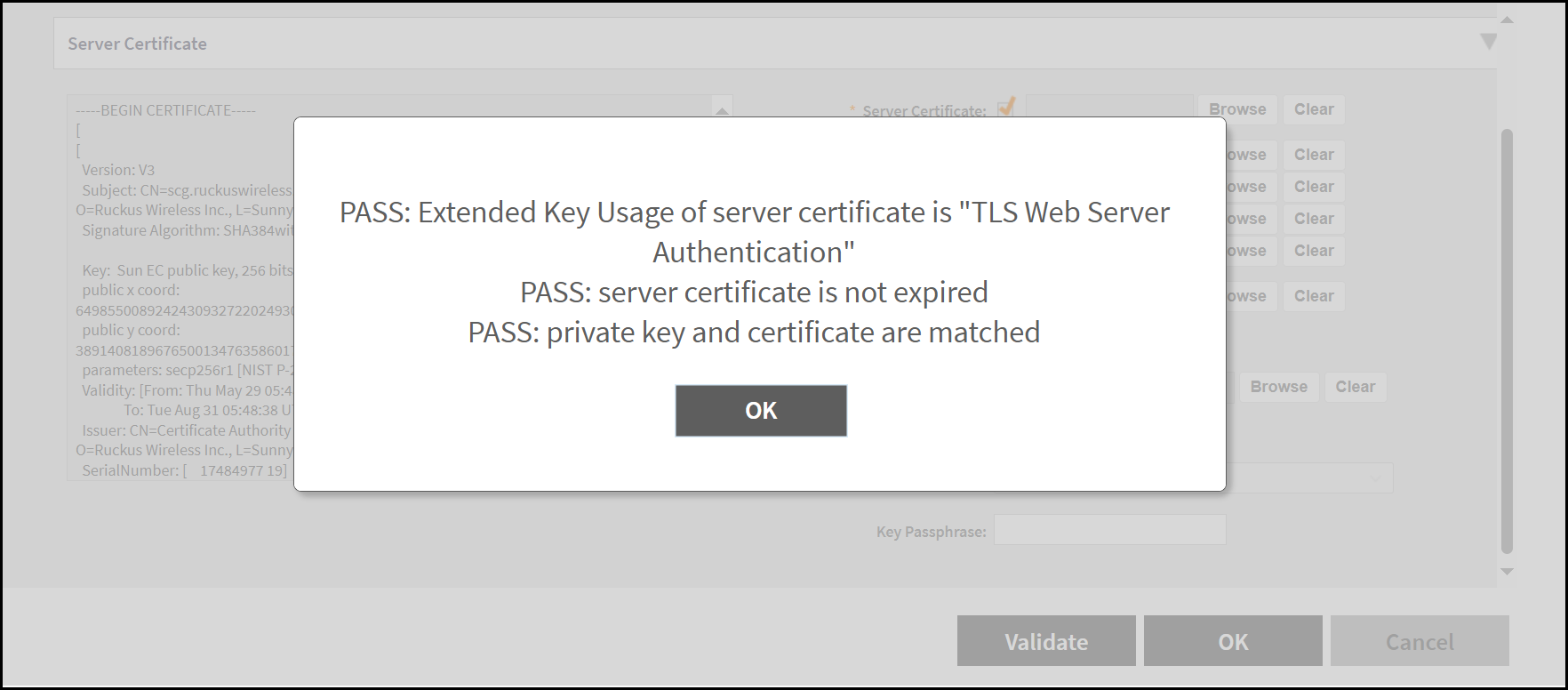
- After uploading the mandatory information, click Validate, the application validates the server certificate and private key and displays the PASS message.
- Click OK.