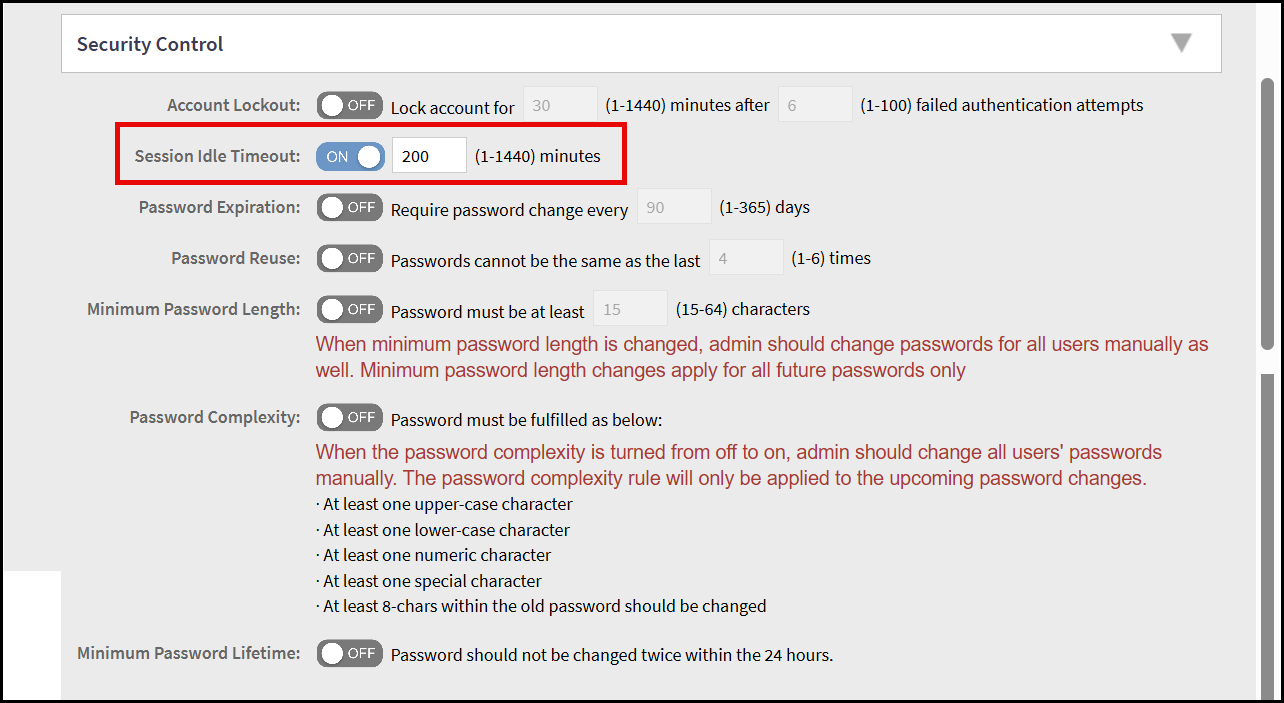
Terminating SmartZone login Sessions
The SmartZone controller can terminate a remote interactive session after it has
exceeded the session timeout value configured by the security administrator.
- From the main menu, navigate to
select .This displays the Administrators screen.
- In the
Administrators screen, select an administrator account,
then click Configure to modify the session time
out.This displays the Edit Administrator Account window.
- In the Edit Administrator Account window, navigate to Security Control section and locate the Session Idle Timeout field.
- To configure the session timeout
through command line interface, perform the following -
- Connect to the controller's SSH.
- In the priviliege exec mode, execute the command
session-timeout. This displays the session timeout details. The session timeout configured through the CLI applies to both the CLI and the local console.
For the CLI sessions of the AP and vSZ-D, the session idle timeout value configured from the administrator profile is applicable. For CLI session, the default session idle timeout is 30 minutes and for GUI it is 15 minutes.