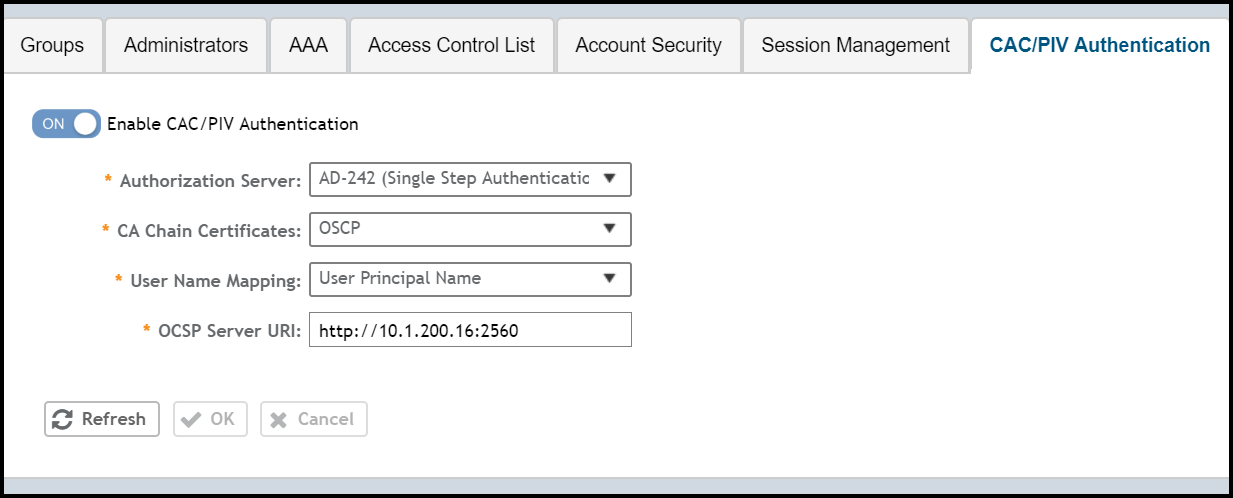
Enabling Common Access Card or Personal Identity Verification Authentication
- Select .
- Select Enable CAC/PIV Authentication.
- Select the AAA authorization server from the list.
Note: For RADIUS, the login flow changes to three-factor authentication.The CAC/PIV login prompts the user to insert the CAC/PIV smart card. The operating system and browser in conjunction with card reader drive support verifies the client certification using a personal identification number (PIN). Only after the PIN is verified as correct, the client certificate is sent to SZ for verification.
- Select the CA chain certificate from the list.
- For User Name Mapping, select the User Principal Name or RFC822 Name from the drop-down list.
- Enter the OCSP server URL.
- Click OK.