Configuring Regular Mesh
The Mesh topology feature describes the
arrangement of Access Points within a venue and their connectivity. The topology is
automatically established without user intervention, but configuration options are
available
to apply constraints. Multi-channel mesh paths are supported through wired mesh
links.
- From the main menu, navigate to .
- In the Access Points
screen, click
 icon.
- In the Create Domain window, select the Type as Zone.
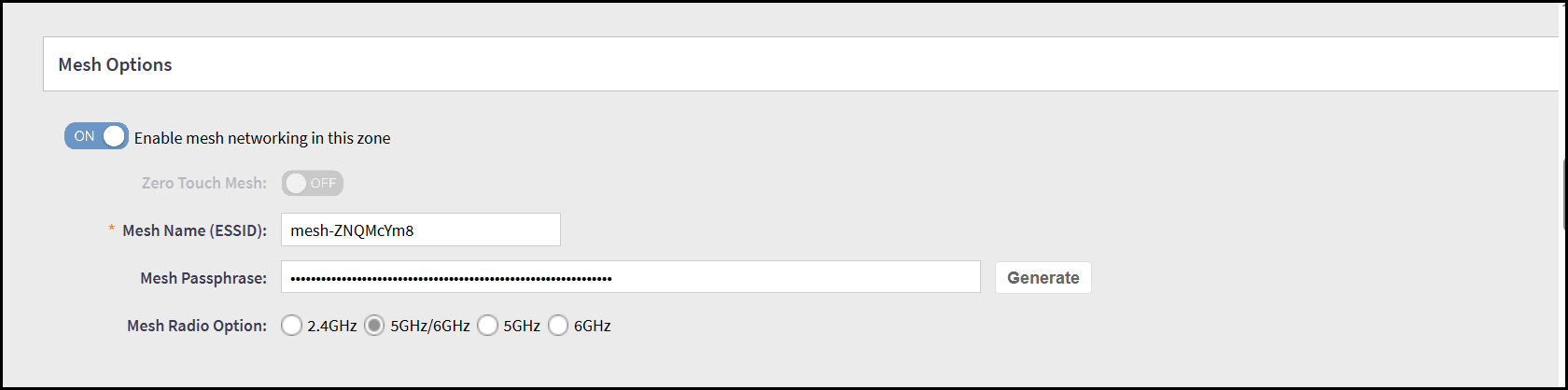
- In the Zone window, navigate to Mesh
Options and select the Enable mesh networking in this
zone button.In the Mesh Options, configure the following -
- Zero Touch Mesh - By default, this option is disabled. Enable to allow Access Points to automatically form a mesh network without requiring manual configuration.
- Mesh Name (ESSID) - By default, controller generates a mesh name.
- Mesh Passphrase - By default, controller generates a mesh passphrase. To manually generate a new mesh passphrase, click Generate.
- Mesh Radio Option - Select the radio option button to specify the radio band (2.4GHz, 5GHz/6GHz, 5GHz or 6GHz) used by Access Points for mesh backhaul communication.
- Click OK.Note: In a Mesh network, Access Points are categorized as Root APs (RAP), Mesh APs (MAP), and Ethernet Mesh APs (EAP). Root APs are directly connected to the main network and serve as the entry point for mesh traffic within the venue. The first AP added to the mesh is designated as the RAP. Mesh APs connect to the network indirectly through a wireless link to a parent AP, which may be a RAP or another MAP, and relay the connection further. Ethernet Mesh APs also connect indirectly, but use an Ethernet link to reach their parent AP.